$ 0
0
$ 0
0

Cubex QXR 1320 10301 Surface Drill Operators Manual

Format: PDF (Printable Document)

File Language: English

File Pages: 223

File Size: 15.85 MB (Speed Download Link)

Brand: Cubex

Model: QXR 1320 10301 Surface Drill

Type of Document: Operators Manual

Category:

$ 45

Share:

Cubex QXR 1320 10301 Surface Drill Operators Manual

Cubex QXR 1320 10301 Surface Drill Operators Manual

📘 Show Index

Cubex QXR 1320 10301 Surface Drill Index:

  • Section 1 Introduction
    • 1.1 Drill Description
    • 1.2 Manual Objectives
    • 1.3 Drill Orientation
  • Section 2 Description of Equipment
    • 2.1 Major Components and Sub-assemblies
      • 2.1.1 Mast and Feed
      • 2.1.2 Frame
        • 2.1.2.1 Inside of Frame
      • 2.1.3 Rear
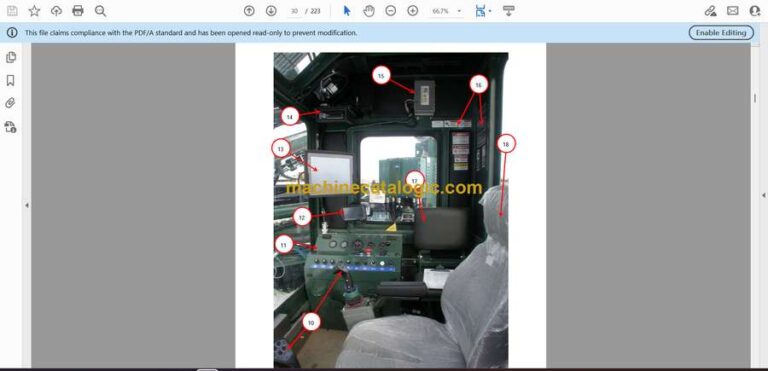
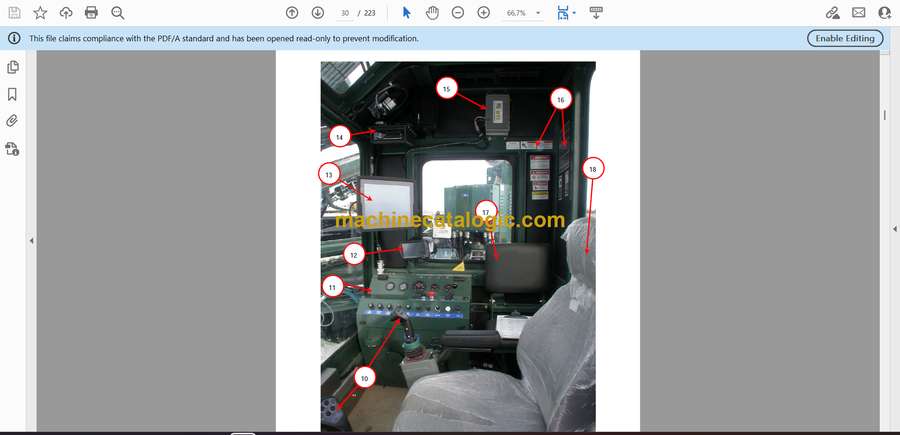
      • 2.1.4 Operator’s Cab
        • 2.1.4.1 Engine Control Panel
    • 2.2 Electrical Controls
      • 2.2.1 Joysticks
      • 2.2.2 Engine Control Panel (Inside Cab)
    • 2.3 Manual Hydraulic Controls
      • 2.3.1 Set-Up, Drilling, and Tramming Valve Bank
      • 2.3.2 Carousel and Drilling Valve Bank
    • 2.4 Display Screens
      • 2.4.1 System Screen
      • 2.4.2 Status Bar
      • 2.4.3 Menu Buttons
      • 2.4.4 Status Indicator
      • 2.4.5 QXR Shutdowns and Warnings
      • 2.4.6 Configuration Menu
        • 2.4.6.1 Tram Settings
        • 2.4.6.2 Make-up / Breakout Settings
        • 2.4.6.3 Weight on Bit Settings
        • 2.4.6.4 Hourmeter Settings
        • 2.4.6.5 Accra-Feed Configuration Settings
        • 2.4.6.6 Lube/Grease/Water Configuration Settings
        • 2.4.6.7 Pre-set Configuration – Setting Hole Depth
        • 2.4.6.8 Miscellaneous Settings
        • 2.4.6.9 Diagnostic Screen
      • 2.4.7 Tramming and Oscillation
      • 2.4.8 Set-up Screens
        • Set-up Screen – Layer 1
        • Set-up Screen – Layer 2
        • Set-up Screen – Layer 3
      • 2.4.9 Drill Screens
        • Drill Screen – Layer 1
        • Drill Screen – Layer 2
        • Drill Screen – Layer 3
        • Drill Screen – Manual Drilling Layer 1
      • 2.4.10 Accra-Feed Screen – Layer 1
    • 2.5 Software Upgrades
      • 2.5.1 Installing Vansco Software onto a Laptop
        • 2.5.1.1 Basic Qualifications
        • 2.5.1.2 Procedure
      • 2.5.2 Installing Software into the QXR
        • 2.5.2.1 Basic Qualifications
        • 2.5.2.2 Program Systems on the QXR
        • ERIS
        • Vansco
        • 2.5.2.3 Tool List
        • 2.5.2.4 Pre-Installation
        • 2.5.2.5 Accessing the Cab Control Panel
        • 2.5.2.6 Connecting the Keyboard to the CCSystems Computer
        • 2.5.2.7 Loading ERIS Software into the Cubex QXR Drill
        • 2.5.2.8 Connecting a Laptop to the Vansco System
        • 2.5.2.9 Loading Vansco Programs on your Cubex QXR Drill
  • Section 3 Start-Up and Tramming
    • 3.1 Operating Procedures for Start-Up
      • 3.1.1 Pre-start Inspection
      • QXR Operator Pre-Start Checklist
    • 3.2 Start-Up
      • 3.2.1 Inside Cab
      • 3.2.2 Outside Cab
    • 3.3 Tramming
      • 3.3.1 Tramming from the Tram Station
      • 3.3.2 Tramming from the Cab
      • 3.3.3 Tramming Stability
    • 3.4 Set-up
      • 3.4.1 Set-Up from the Cab
      • 3.4.2 Indexing the Swing Cylinder
    • 3.5 Shutdown Procedure
    • 3.6 Towing
      • 3.6.1 Towing Guidelines and Precautions
      • 3.6.2 Tow Disconnect – Sun Gear Removal Procedure
      • 3.6.3 Sun Gear Re-install
  • Section 4 Drilling
    • 4.1 Drilling Procedures
      • 4.1.1 Hammer Installation Procedure
      • 4.1.2 Drill Pipe Installation (Adding Rods)
      • 4.1.3 Drill Pipe Removal
    • 4.2 Delivery Systems
      • 4.2.1 Water Injection Procedure
      • 4.2.2 Grease Injection Procedure
      • 4.2.3 Oil Injection Procedure
    • 4.3 Drilling
      • 4.3.1 Manual Drilling
      • 4.3.2 Drilling with Accra-Feed Feature (Optional)
  • Section 5 Maintenance and Safety
    • 5.1 Daily Maintenance Procedures
      • Safety Instructions for Servicing
        • REMEMBER
        • Fluid Notices
    • 5.2 Lubrication
      • 5.2.1 Rock Drill Grease
      • 5.2.2 Lubrication Points and Intervals
      • 5.2.3 Automatic Machine Lubrication
    • 5.3 Safety Procedures
      • 5.3.1 Personal Protection Equipment
      • 5.3.2 Overhead and Buried Utilities
      • 5.3.3 Ask for Assistance
      • 5.3.4 Safety Shutdowns
      • 5.3.5 Safety Labels
      • 5.3.6 General Safety and Maintenance Instructions
  • Section 6 Troubleshooting
    • 6.1 Troubleshooting the Tram Drive
      • Crawler Does Not Run but Tramming Motors Are Operating
      • Crawler Does Not Move and Tramming Motor Does Not Run
      • Crawler Does Not Tram Straight
    • 6.2 Troubleshooting the Hydraulic System
      • Pump Does Not Deliver Oil
      • Pump is Running Hot
      • Cavitation or Pump Noise
      • Insufficient Pressure
      • Slow Rotation at Top Drive
      • No Rotation at Top Drive Assembly
      • Slow or No Feed
      • Mast Does Not Rotate
      • Actuator Allows Mast to Move after Being Set
    • 6.3 Troubleshooting the Water Injection Pump
      • Discharge Pressure is Too Low
      • Cavitation Problems
      • No Water Discharge
      • Excessive Pump Noise
    • 6.4 Troubleshooting the Air Driven Oil Injection Pump
      • Air Motor Does Not Operate
      • Air Seepage from Air Exhaust While Pump is Not Working
      • Loss of Pressure, Volume, or Continuous Operation of Pump when Not in Normal Use
      • Excessive Amount of Air in Lubricant or Excessive Amount of Lubricant in Air
    • 6.5 Troubleshooting the Air Driven Grease Injection
      • Air Motor Does Not Operate
      • Grease Is Not Delivered to the Drilling Air Line
    • 6.6 Troubleshooting the Air Delivery System
      • Air Pressure Builds too Slowly
      • Compressor Shuts Down with Air Demand Present
      • Compressor Does Not Build-Up Full Discharge Pressure
      • Compressor Unloading with an Excessive Pressure Build-Up
      • Excessive Compressor Fluid Consumption
      • Compressor Overheating
    • 6.7 Troubleshooting the Hammer
      • Tool Does Not Start
      • Tool Stops Operating
      • Operating Pressure is Lower than Specifications
      • Low Penetration Rate
      • Galling of Internal Parts
    • 6.8 Troubleshooting the Drill Bit
      • Abrasive Wear
      • Loss of Carbides in Bit
      • Bit Breakage and Carbide Failure
      • Carbide Breakage
      • Uneven Wear Conditions
    • 6.9 Troubleshooting Depth Laser
      • Laser appears not working. No red light is coming out of aperture.
      • Laser appears working, red light is pulsing in even intervals, no output signal.
      • Laser appears working, red light is pulsing but in uneven intervals
      • General notes:
  • Cubex Terra DGS Operation Manual
  • Section 1 Introduction
    • 1.1 Features
  • Section 2 Software Removal and Installation
    • 2.1 Removal / Installation Procedure:
    • 2.2 Sensor Installation
      • 2.2.1 Installing Wires in Sensor Box
      • 2.2.2 Screen Installation
  • Section 3 Operation
    • 3.1 ZERO-OFFSET Calibration Procedure
    • 3.2 Local and Absolute Heading Measurements

Cubex


Latest Product

0
    0
    Your Cart
    Your cart is emptyReturn to Shop