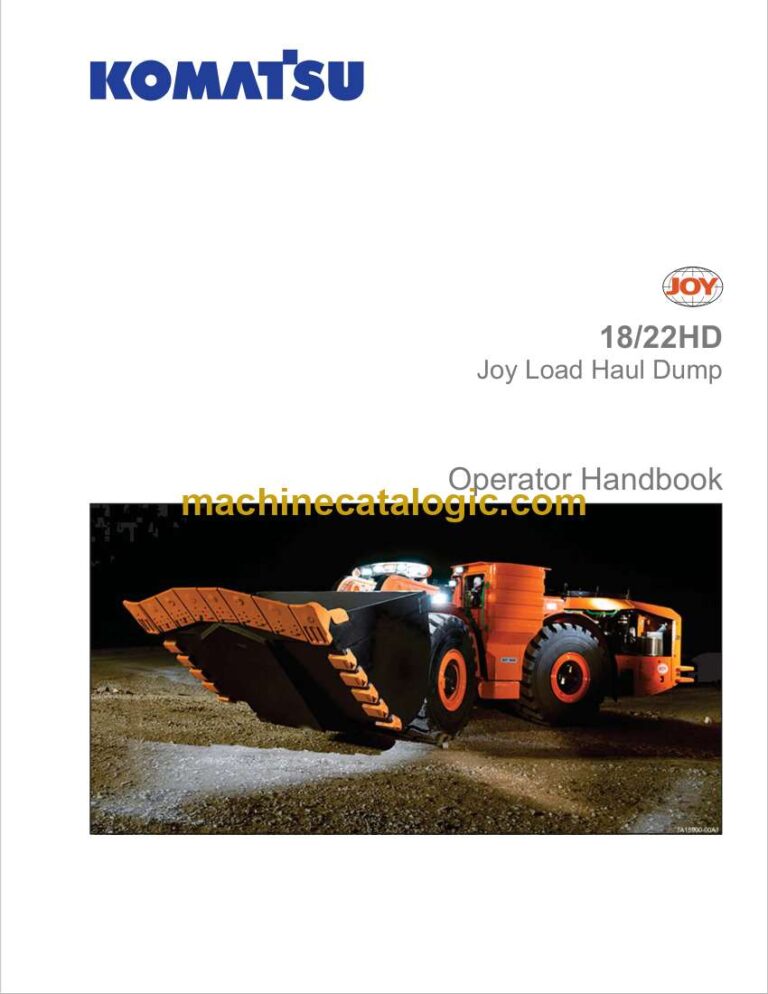
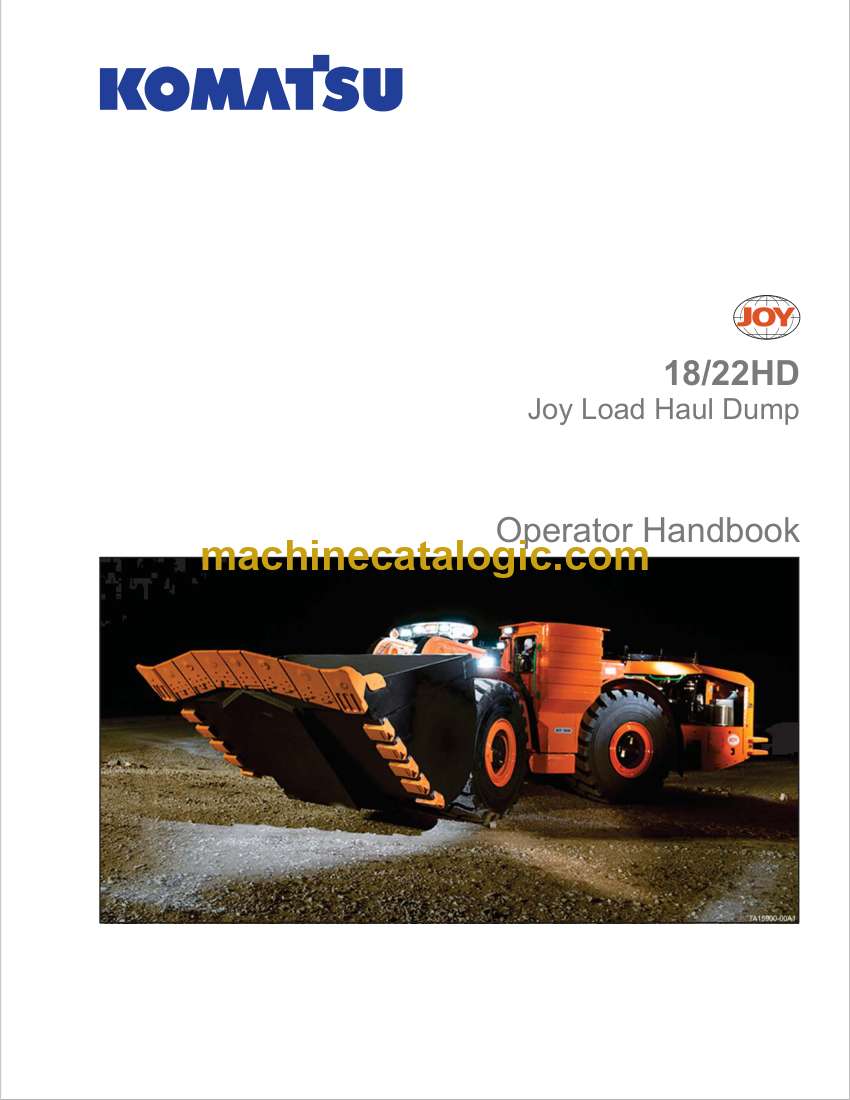
Komatsu Joy 18-22HD Joy Load Haul Dump Operator Handbook
This handbook is what I’d keep in the cab for a Joy 18‑22HD running in a hard-rock mine or tunnel—tight headings, poor visibility, uneven ground, and constant loading and tramming. It helps you understand how the controls should feel, how the machine behaves under load, and what to check before you put it against the face. If, for example, the machine starts nosediving when you brake with a full bucket, I’d use this book to verify proper operating technique, check the right daily inspections were done, and rule out operator error before calling in a bigger repair.
Applications & Use Cases
- Set up daily walk‑around checks so you catch leaks, loose hardware, and tire or rim damage before a shift underground.
- Train new operators on proper bucket use, travel speeds, and steering on rutted or sloped drifts.
- Verify correct control operation when the machine feels sluggish, jerky, or unbalanced under a full load.
- Adjust operating habits to reduce premature wear on drivetrain, brakes, and articulation joints.
- Improve jobsite safety by reinforcing line‑of‑sight habits, horn use, and right‑of‑way in tight headings.
FAQ
Q: Can I use this handbook on a tablet underground?
A: Yes, as long as your site allows electronic devices; a searchable PDF makes it faster to look up procedures between loads.
Q: Is it worth printing parts of this manual?
A: Many mechanics print the daily checks and control diagrams to keep in a plastic sleeve on the machine or in the tool crib.
Safety Note
Always follow the handbook’s operating and lockout guidance before working under, around, or near a loaded or raised bucket.
📘 Show Index
Komatsu Joy 18-22HD Joy Load Haul Dump Index:
- SECTION_01-01_(Introduction)_p1.pdf
- Customer Responsibilities and Warranty Advisories
- Safety
- Safety, Warnings and Cautions
- General Description of Machine
- Operating Environment
- Service Manual and Parts Manual
- Thank You for Choosing Komatsu
- Safety and Operational Advisory
- SECTION_01-02_(Safety_Instructions)_p1.pdf
- Scope of This Publication
- Safety
- Safety Standards
- Machine Safety and Instructional Labels
- Safety Warnings and Cautions
- General Safety Guidelines When Performing Routine Maintenance or Adjustment Work
- Environmental Precautions
- Electrical Hazards
- Isolation and Control Switches Assembly
- Jump Start Socket
- Starter Isolator Indication Switch and Starter Isolation Light
- Battery Isolation Switch and Battery Isolator Indication Light
- Kinetic Energy
- Pedestrian or Foot Traffic
- Component Temperature
- Tripping/Slipping
- Parking
- Hydraulic Hazards
- Crush Hazards
- Working at Elevated Locations
- Suspended Loads
- General Service or Repair Precautions
- Safety Preparations
- Isolating Energy Sources
- Bus Discharge Verification Procedure
- In Cab Verification Using LINCS II Display
- Verification by Visual Indication
- Verification by Physical Measurement Main Bus Bars
- Converter Assembly Bus Connections
- Battery and Starter Isolation Switches
- Releasing Pressures
- Discharging Kinetic/Electrical Energy
- Safety Preparations
- KESS Discharge Procedure
- Locking and Unlocking the Lift Arms
- Inspect the Lift Arm Locking Device System Pins and Sockets
- Locking the Lift Arms
- Unlocking the Lift Arms
- Pre-work Precautions
- During Work Precautions
- Post Work Precautions
- Label/Placard Maintenance
- General Operational Safety Guidelines
- Work Areas or Conditions to be Avoided
- Be Prepared Before Starting
- Mounting and Dismounting the Machine
- Start Up Safely
- Safety in Material Handling Operations
- Grade Stability
- If the machine must be left unattended
- End the Operating Period Safely
- Shutdown properly
- Emergency Exiting the Cab
- Door Interlock Switch
- Directional Lights
- Backup Alarm
- Roll Over Protective Structure (ROPS) and Falling Object Protective Structure (FOPS)
- Emergency Shutdown Switches (Estop)
- Operation of Estop Switches
- Estop Switch Testing Procedure
- Seat Belt Operation and Adjustment
- Fastening the Belt
- Unfastening the Belt
- Adjustments
- Lengthening the Belt
- Shortening the Belt
- Inspection
- Fire Prevention and Control
- Fire Prevention
- Manual Fire Extinguisher
- Fire Suppression Systems (Optional)
- System Maintenance and Troubleshooting
- Tires
- Machine Operation: Normal, Tramming and Load/Carry
- SECTION_01-03_(General_Information)_p1.pdf
- Scope of This Publication
- Customer Responsibilities and Warranty Advisories
- Safety
- Safety, Warnings and Cautions
- Customer Responsibilities and Warranty Advisories
- Break-In Period Service Procedures
- Generator
- Planetary Drives, Hydraulic System, and Hydraulic Pump Drive (HPD) Gearbox
- LINCS Computer System Data Downloads
- Engine Maintenance
- Operator and Support Personnel Training
- Machine Data Plate and Tire Data Plate
- General Machine Specifications
- 24V DC System
- Cab
- Standard Digital Indicators
- Standard Indicator Lights and Audible Alarms
- Cooling Air System
- Operation in Standing Water
- 18HD Approximate Component Weights
- 22HD Approximate Component Weights
- Major Components
- Capscrew and Bolt-Nut Torque Specifications
- SECTION_01-04_(Controls_and_Operations)_p1.pdf
- Scope of This Publication
- Customer Responsibilities and Warranty Advisories
- Safety
- Safety, Warnings and Cautions
- Mounting and Dismounting the Machine
- Operator’s Cab
- Emergency exit
- Opening and Closing the Cab Door
- Cab Interior Lights (Dome)
- Operator’s Seat
- Automatic and Manual Seat Adjustments and Controls (Grammer model)
- Maintenance
- Automatic and Manual Seat Adjustments and Controls (KAB model)
- Maintenance
- Seat Belt Operation and Adjustment
- Fastening and Unfastening the Belt
- Fastening the Belt
- Unfastening the Belt
- Adjustments
- Lengthening the Belt
- Shortening the Belt
- Inspection
- Armrest and Joystick Adjustment
- Armrest and Joystick Backward/forward Adjustment
- Armrest Height Adjustment
- Cab Control Console (Operator’s Console) and Operation Pedals
- LINCS II Touch Screen
- Touch Screen Cleaning Procedure
- Park Brake Switch
- Yellow Warning Light
- Monitor Power Switch
- Key Switch/Crank Switch
- User Access Key and Reader
- Red Alarm Light
- Cab Emergency Stop Switch
- Speed Control Pedal
- Service Brake Pedal
- 12V Power-Ports, USB and Ethernet Terminals
- Climate Control Switches
- Special Key Functions
- Cab Inclinometer
- Keypad
- Auxiliary Torque Switch (1)
- Alternate Speed Switch (2)
- Hazard Switch (3)
- Drive System Enable/Disable Switch (4)
- Throttle Switch (5)
- Return to Dig/Auto Level Switch (6)
- Lift Arm Suspension Control (Ride Control) (7)
- Alternate Height Switch (8)
- Lights (9, 10, 11, 12)
- Side Window Wiper Switch (13)
- Front Window Wiper Switch (14)
- Rear Window Wiper Switch (15)
- Windshield and Rear Window Washer Switches (16, 17, 18)
- Auto Lube Switch (19)
- Engine Derate (Torque Reduction) Override Switch (20)
- MTU Engine Emission Control System
- Legend for table “Engine exhaust emission warning lamp explanations”
- Operational Controls and Instruments
- Left-Hand Joystick Control – Directional Control
- Steer Left/Right
- Turn Signal Switches
- Acknowledge Button
- Right-Hand Joystick Control – Hoist and Bucket Control
- Hoist and Bucket Control Using Right Joystick Hoist-Y Bucket-X Configuration
- Hoist and Bucket Control Using Right Joystick Hoist-X Bucket-Y Configuration
- Joystick Control Switches and Roller
- Hoist Detent Switch
- Return to Dig Control Switch
- Backdrag/Return to Carry Switch
- Horn Button
- Bucket Control Roller
- Simultaneous Right Joystick, Switch, or Roller Command Functions
- Armrest and Joystick Adjustment
- Armrest and Joystick Backward/forward Adjustment
- Armrest Height Adjustment
- Log On
- Using the User Access Key
- Password Entry Screen
- LINCSII Control System Using The Touch Screen
- Main Operator Screen (Menu Navigation)
- Bucket, Lift Arm, and Machine Articulation Data (2)
- Loading Cycle Timer
- Load Weigh and Production Detail
- Load Weigh and Production Detail
- Machine Status Indicator Icons and Menu Navigation Buttons (5)
- Indicator/Gauges
- Menu Selections
- Main Menu Sub-Selection
- User Preferences Screen
- Language (1)
- Unit System (2)
- Ideal Cycle Time (3)
- Display Troubleshooting Notices (4)
- Lamp Test (5)
- Zero Tooth to Ground (6)
- Reset Shift Production (7)
- Alternate Propel Torque (8)
- Alternate Speed (9)
- Inhibit Park Brakes Release Mode (10)
- Brakes Test (11)
- Auxiliary Steering Test (12)
- Typical Selection Arrows (13)
- Clean Screen Menu
- Data Logging Menu
- Logging/Monitoring Menu
- Channel Selection Screen
- Charting Screen
- Event Logging Screen (Detailed)
- Download Dialog
- Log File Download Procedure with Channel Data
- Log File Download Procedure with Event Data (no channel data)
- Production Reports
- Loads
- Profile
- Tons Per Load
- Cycle Times
- Cycle Time/Load Sweet Spot
- Production Reports Setup
- Machine Summary
- Machine Summary Screen
- Alarm, Warning, PM Alert, Event, and Notice Screens
- Alarms
- Warnings
- PM Alerts
- Events
- Notices
- Logged Notices
- Troubleshooting Notices
- “Stacked” Counter Number (Alarms and Warnings)
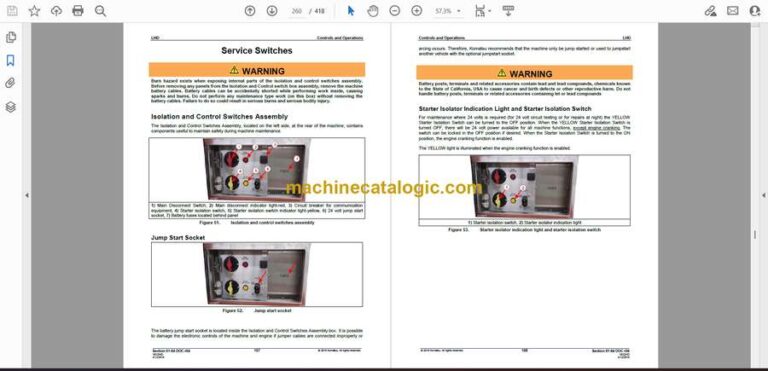
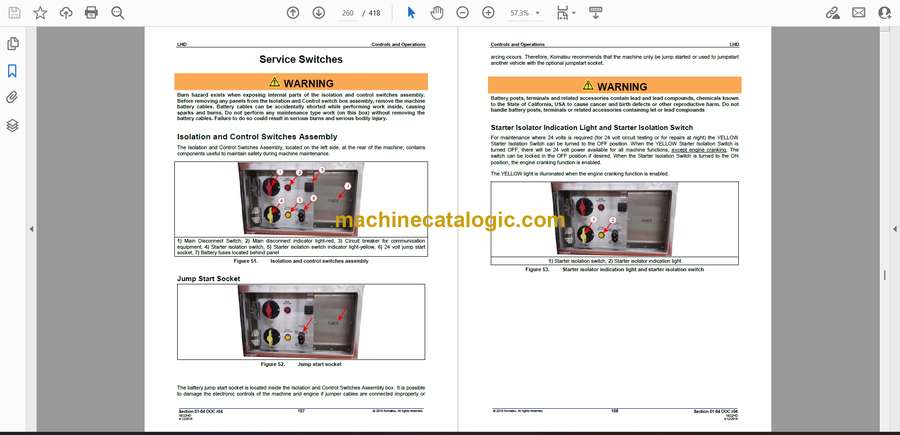
- Service Switches
- Isolation and Control Switches Assembly
- Jump Start Socket
- Starter Isolator Indication Light and Starter Isolation Switch
- Battery Isolation Switch and Battery Isolator Indication Light
- Auto Lube Switch
- Central Service System
- Machine Mechanical Operating Concerns
- Computer Monitor
- Auxiliary Steering System
- Diesel Engine Operational Concerns
- Hydraulic System Monitoring and Operational Concerns
- Grade Stability
- Empty Bucket
- Loaded Bucket
- Overspeed Prevention Recommendations
- Ensuring Visibility of Surroundings During Operation
- Walk-Around Inspection
- Braking
- Bucket Rollback Stop Blocks and Bell Crank Stop Blocks
- Basic Machine Operating Instructions Non-Material Handling Operations
- Pre-Starting Procedures
- Starting the Engine
- After Starting the Engine
- Operating the Machine (Non-Material Handling Operations)
- Test the Hoist and Bucket Functions
- Test the Steering Function
- Test the Dynamic Brake Function
- Test the Service Brake Function
- Changing Directions (Forward and Reverse)
- Normal Shutdown Procedures
- KESS Discharge Procedure
- Safety Preparations
- Emergency Shutdown Switches
- Location
- Operation
- Switch Testing Procedure
- Towing the Machine
- Basic Machine Operating Instructions Material Handling Operations
- General Material Handling Operations and Precautions
- Machine Operation
- Safety
- Operation
- Loading
- Hoisting and Traveling to the Hopper, Conveyor or Haul Vehicle
- Dumping the Bucket
- Lowering the Bucket and Traveling to the Drawbell or Muck Pile
- Bucket Overload Situations
- Shutting Down the Machine
- Remote Control Operation Mode
- Placing the LHD Into Line of Sight (LOS) Remote Control Operation Mode
- Using the ATX Transmitter to Access Machine Control
- Starting the Machine Engine
- Checking Machine Operation in Line of Sight (LOS) Mode
- Removing the ATX Transmitter Console Battery
- Charging the ATX Transmitter Battery
- Do’s and Don’ts
- SECTION_01-04_(Controls_and_Operations)_p1.pdf
- Scope of This Publication
- Customer Responsibilities and Warranty Advisories
- Safety
- Safety, Warnings and Cautions
- Mounting and Dismounting the Machine
- Operator’s Cab
- Emergency exit
- Opening and Closing the Cab Door
- Cab Interior Lights (Dome)
- Operator’s Seat
- Automatic and Manual Seat Adjustments and Controls (Grammer model)
- Maintenance
- Automatic and Manual Seat Adjustments and Controls (KAB model)
- Maintenance
- Seat Belt Operation and Adjustment
- Fastening and Unfastening the Belt
- Fastening the Belt
- Unfastening the Belt
- Adjustments
- Lengthening the Belt
- Shortening the Belt
- Inspection
- Armrest and Joystick Adjustment
- Armrest and Joystick Backward/forward Adjustment
- Armrest Height Adjustment
- Cab Control Console (Operator’s Console) and Operation Pedals
- LINCS II Touch Screen
- Touch Screen Cleaning Procedure
- Park Brake Switch
- Yellow Warning Light
- Monitor Power Switch
- Key Switch/Crank Switch
- User Access Key and Reader
- Red Alarm Light
- Cab Emergency Stop Switch
- Speed Control Pedal
- Service Brake Pedal
- 12V Power-Ports, USB and Ethernet Terminals
- Climate Control Switches
- Special Key Functions
- Cab Inclinometer
- Keypad
- Auxiliary Torque Switch (1)
- Alternate Speed Switch (2)
- Hazard Switch (3)
- Drive System Enable/Disable Switch (4)
- Throttle Switch (5)
- Return to Dig/Auto Level Switch (6)
- Lift Arm Suspension Control (Ride Control) (7)
- Alternate Height Switch (8)
- Lights (9, 10, 11, 12)
- Side Window Wiper Switch (13)
- Front Window Wiper Switch (14)
- Rear Window Wiper Switch (15)
- Windshield and Rear Window Washer Switches (16, 17, 18)
- Auto Lube Switch (19)
- Engine Derate (Torque Reduction) Override Switch (20)
- MTU Engine Emission Control System
- Legend for table “Engine exhaust emission warning lamp explanations”
- Operational Controls and Instruments
- Left-Hand Joystick Control – Directional Control
- Steer Left/Right
- Turn Signal Switches
- Acknowledge Button
- Right-Hand Joystick Control – Hoist and Bucket Control
- Hoist and Bucket Control Using Right Joystick Hoist-Y Bucket-X Configuration
- Hoist and Bucket Control Using Right Joystick Hoist-X Bucket-Y Configuration
- Joystick Control Switches and Roller
- Hoist Detent Switch
- Return to Dig Control Switch
- Backdrag/Return to Carry Switch
- Horn Button
- Bucket Control Roller
- Simultaneous Right Joystick, Switch, or Roller Command Functions
- Armrest and Joystick Adjustment
- Armrest and Joystick Backward/forward Adjustment
- Armrest Height Adjustment
- Log On
- Using the User Access Key
- Password Entry Screen
- LINCSII Control System Using The Touch Screen
- Main Operator Screen (Menu Navigation)
- Bucket, Lift Arm, and Machine Articulation Data (2)
- Loading Cycle Timer
- Load Weigh and Production Detail
- Load Weigh and Production Detail
- Machine Status Indicator Icons and Menu Navigation Buttons (5)
- Indicator/Gauges
- Menu Selections
- Main Menu Sub-Selection
- User Preferences Screen
- Language (1)
- Unit System (2)
- Ideal Cycle Time (3)
- Display Troubleshooting Notices (4)
- Lamp Test (5)
- Zero Tooth to Ground (6)
- Reset Shift Production (7)
- Alternate Propel Torque (8)
- Alternate Speed (9)
- Inhibit Park Brakes Release Mode (10)
- Brakes Test (11)
- Auxiliary Steering Test (12)
- Typical Selection Arrows (13)
- Clean Screen Menu
- Data Logging Menu
- Logging/Monitoring Menu
- Channel Selection Screen
- Charting Screen
- Event Logging Screen (Detailed)
- Download Dialog
- Log File Download Procedure with Channel Data
- Log File Download Procedure with Event Data (no channel data)
- Production Reports
- Loads
- Profile
- Tons Per Load
- Cycle Times
- Cycle Time/Load Sweet Spot
- Production Reports Setup
- Machine Summary
- Machine Summary Screen
- Alarm, Warning, PM Alert, Event, and Notice Screens
- Alarms
- Warnings
- PM Alerts
- Events
- Notices
- Logged Notices
- Troubleshooting Notices
- “Stacked” Counter Number (Alarms and Warnings)
- Service Switches
- Isolation and Control Switches Assembly
- Jump Start Socket
- Starter Isolator Indication Light and Starter Isolation Switch
- Battery Isolation Switch and Battery Isolator Indication Light
- Auto Lube Switch
- Central Service System
- Machine Mechanical Operating Concerns
- Computer Monitor
- Auxiliary Steering System
- Diesel Engine Operational Concerns
- Hydraulic System Monitoring and Operational Concerns
- Grade Stability
- Empty Bucket
- Loaded Bucket
- Overspeed Prevention Recommendations
- Ensuring Visibility of Surroundings During Operation
- Walk-Around Inspection
- Braking
- Bucket Rollback Stop Blocks and Bell Crank Stop Blocks
- Basic Machine Operating Instructions Non-Material Handling Operations
- Pre-Starting Procedures
- Starting the Engine
- After Starting the Engine
- Operating the Machine (Non-Material Handling Operations)
- Test the Hoist and Bucket Functions
- Test the Steering Function
- Test the Dynamic Brake Function
- Test the Service Brake Function
- Changing Directions (Forward and Reverse)
- Normal Shutdown Procedures
- KESS Discharge Procedure
- Safety Preparations
- Emergency Shutdown Switches
- Location
- Operation
- Switch Testing Procedure
- Towing the Machine
- Basic Machine Operating Instructions Material Handling Operations
- General Material Handling Operations and Precautions
- Machine Operation
- Safety
- Operation
- Loading
- Hoisting and Traveling to the Hopper, Conveyor or Haul Vehicle
- Dumping the Bucket
- Lowering the Bucket and Traveling to the Drawbell or Muck Pile
- Bucket Overload Situations
- Shutting Down the Machine
- Remote Control Operation Mode
- Placing the LHD Into Line of Sight (LOS) Remote Control Operation Mode
- Using the ATX Transmitter to Access Machine Control
- Starting the Machine Engine
- Checking Machine Operation in Line of Sight (LOS) Mode
- Removing the ATX Transmitter Console Battery
- Charging the ATX Transmitter Battery
- Do’s and Don’ts
- Vendor Literature
- VL 140 – CONTROLMASTER Operator Handbook ATX/ARX Transmitter and Receiver
- SECTION_01-04_(Controls_and_Operations)_p1.pdf
- Scope of This Publication
- Customer Responsibilities and Warranty Advisories
- Safety
- Safety, Warnings and Cautions
- Mounting and Dismounting the Machine
- Operator’s Cab
- Emergency exit
- Opening and Closing the Cab Door
- Cab Interior Lights (Dome)
- Operator’s Seat
- Automatic and Manual Seat Adjustments and Controls (Grammer model)
- Maintenance
- Automatic and Manual Seat Adjustments and Controls (KAB model)
- Maintenance
- Seat Belt Operation and Adjustment
- Fastening and Unfastening the Belt
- Fastening the Belt
- Unfastening the Belt
- Adjustments
- Lengthening the Belt
- Shortening the Belt
- Inspection
- Armrest and Joystick Adjustment
- Armrest and Joystick Backward/forward Adjustment
- Armrest Height Adjustment
- Cab Control Console (Operator’s Console) and Operation Pedals
- LINCS II Touch Screen
- Touch Screen Cleaning Procedure
- Park Brake Switch
- Yellow Warning Light
- Monitor Power Switch
- Key Switch/Crank Switch
- User Access Key and Reader
- Red Alarm Light
- Cab Emergency Stop Switch
- Speed Control Pedal
- Service Brake Pedal
- 12V Power-Ports, USB and Ethernet Terminals
- Climate Control Switches
- Special Key Functions
- Cab Inclinometer
- Keypad
- Auxiliary Torque Switch (1)
- Alternate Speed Switch (2)
- Hazard Switch (3)
- Drive System Enable/Disable Switch (4)
- Throttle Switch (5)
- Return to Dig/Auto Level Switch (6)
- Lift Arm Suspension Control (Ride Control) (7)
- Alternate Height Switch (8)
- Lights (9, 10, 11, 12)
- Side Window Wiper Switch (13)
- Front Window Wiper Switch (14)
- Rear Window Wiper Switch (15)
- Windshield and Rear Window Washer Switches (16, 17, 18)
- Auto Lube Switch (19)
- Engine Derate (Torque Reduction) Override Switch (20)
- MTU Engine Emission Control System
- Legend for table “Engine exhaust emission warning lamp explanations”
- Operational Controls and Instruments
- Left-Hand Joystick Control – Directional Control
- Steer Left/Right
- Turn Signal Switches
- Acknowledge Button
- Right-Hand Joystick Control – Hoist and Bucket Control
- Hoist and Bucket Control Using Right Joystick Hoist-Y Bucket-X Configuration
- Hoist and Bucket Control Using Right Joystick Hoist-X Bucket-Y Configuration
- Joystick Control Switches and Roller
- Hoist Detent Switch
- Return to Dig Control Switch
- Backdrag/Return to Carry Switch
- Horn Button
- Bucket Control Roller
- Simultaneous Right Joystick, Switch, or Roller Command Functions
- Armrest and Joystick Adjustment
- Armrest and Joystick Backward/forward Adjustment
- Armrest Height Adjustment
- Log On
- Using the User Access Key
- Password Entry Screen
- LINCSII Control System Using The Touch Screen
- Main Operator Screen (Menu Navigation)
- Bucket, Lift Arm, and Machine Articulation Data (2)
- Loading Cycle Timer
- Load Weigh and Production Detail
- Load Weigh and Production Detail
- Machine Status Indicator Icons and Menu Navigation Buttons (5)
- Indicator/Gauges
- Menu Selections
- Main Menu Sub-Selection
- User Preferences Screen
- Language (1)
- Unit System (2)
- Ideal Cycle Time (3)
- Display Troubleshooting Notices (4)
- Lamp Test (5)
- Zero Tooth to Ground (6)
- Reset Shift Production (7)
- Alternate Propel Torque (8)
- Alternate Speed (9)
- Inhibit Park Brakes Release Mode (10)
- Brakes Test (11)
- Auxiliary Steering Test (12)
- Typical Selection Arrows (13)
- Clean Screen Menu
- Data Logging Menu
- Logging/Monitoring Menu
- Channel Selection Screen
- Charting Screen
- Event Logging Screen (Detailed)
- Download Dialog
- Log File Download Procedure with Channel Data
- Log File Download Procedure with Event Data (no channel data)
- Production Reports
- Loads
- Profile
- Tons Per Load
- Cycle Times
- Cycle Time/Load Sweet Spot
- Production Reports Setup
- Machine Summary
- Machine Summary Screen
- Alarm, Warning, PM Alert, Event, and Notice Screens
- Alarms
- Warnings
- PM Alerts
- Events
- Notices
- Logged Notices
- Troubleshooting Notices
- “Stacked” Counter Number (Alarms and Warnings)
- Service Switches
- Isolation and Control Switches Assembly
- Jump Start Socket
- Starter Isolator Indication Light and Starter Isolation Switch
- Battery Isolation Switch and Battery Isolator Indication Light
- Auto Lube Switch
- Central Service System
- Machine Mechanical Operating Concerns
- Computer Monitor
- Auxiliary Steering System
- Diesel Engine Operational Concerns
- Hydraulic System Monitoring and Operational Concerns
- Grade Stability
- Empty Bucket
- Loaded Bucket
- Overspeed Prevention Recommendations
- Ensuring Visibility of Surroundings During Operation
- Walk-Around Inspection
- Braking
- Bucket Rollback Stop Blocks and Bell Crank Stop Blocks
- Basic Machine Operating Instructions Non-Material Handling Operations
- Pre-Starting Procedures
- Starting the Engine
- After Starting the Engine
- Operating the Machine (Non-Material Handling Operations)
- Test the Hoist and Bucket Functions
- Test the Steering Function
- Test the Dynamic Brake Function
- Test the Service Brake Function
- Changing Directions (Forward and Reverse)
- Normal Shutdown Procedures
- KESS Discharge Procedure
- Safety Preparations
- Emergency Shutdown Switches
- Location
- Operation
- Switch Testing Procedure
- Towing the Machine
- Basic Machine Operating Instructions Material Handling Operations
- General Material Handling Operations and Precautions
- Machine Operation
- Safety
- Operation
- Loading
- Hoisting and Traveling to the Hopper, Conveyor or Haul Vehicle
- Dumping the Bucket
- Lowering the Bucket and Traveling to the Drawbell or Muck Pile
- Bucket Overload Situations
- Shutting Down the Machine
- Remote Control Operation Mode
- Placing the LHD Into Line of Sight (LOS) Remote Control Operation Mode
- Using the ATX Transmitter to Access Machine Control
- Starting the Machine Engine
- Checking Machine Operation in Line of Sight (LOS) Mode
- Removing the ATX Transmitter Console Battery
- Charging the ATX Transmitter Battery
- Do’s and Don’ts
- Vendor Literature
- VL140 – CONTROLMASTER Operator Handbook ATX/ARX Transmitter and Receiver
- Blank Page
- Blank Page
- 18-22-1_LHD_DP_01-04_(Controls_and_Operations)_P3-00.pdf
- Scope of This Publication
- Customer Responsibilities and Warranty Advisories
- Safety
- Safety, Warnings and Cautions
- Mounting and Dismounting the Machine
- Operator’s Cab
- Emergency exit
- Opening and Closing the Cab Door
- Cab Interior Lights (Dome)
- Operator’s Seat
- Automatic and Manual Seat Adjustments and Controls (Grammer model)
- Maintenance
- Automatic and Manual Seat Adjustments and Controls (KAB model)
- Maintenance
- Seat Belt Operation and Adjustment
- Fastening and Unfastening the Belt
- Fastening the Belt
- Unfastening the Belt
- Adjustments
- Lengthening the Belt
- Shortening the Belt
- Inspection
- Armrest and Joystick Adjustment
- Armrest and Joystick Backward/forward Adjustment
- Armrest Height Adjustment
- Cab Control Console (Operator’s Console) and Operation Pedals
- LINCS II Touch Screen
- Touch Screen Cleaning Procedure
- Park Brake Switch
- Yellow Warning Light
- Monitor Power Switch
- Key Switch/Crank Switch
- User Access Key and Reader
- Red Alarm Light
- Cab Emergency Stop Switch
- Speed Control Pedal
- Service Brake Pedal
- 12V Power-Ports, USB and Ethernet Terminals
- Climate Control Switches
- Special Key Functions
- Cab Inclinometer
- Keypad
- Auxiliary Torque Switch (1)
- Alternate Speed Switch (2)
- Hazard Switch (3)
- Drive System Enable/Disable Switch (4)
- Throttle Switch (5)
- Return to Dig/Auto Level Switch (6)
- Lift Arm Suspension Control (Ride Control) (7)
- Alternate Height Switch (8)
- Lights (9, 10, 11, 12)
- Side Window Wiper Switch (13)
- Front Window Wiper Switch (14)
- Rear Window Wiper Switch (15)
- Windshield and Rear Window Washer Switches (16, 17, 18)
- Auto Lube Switch (19)
- Engine Derate (Torque Reduction) Override Switch (20)
- MTU Engine Emission Control System
- Legend for table “Engine exhaust emission warning lamp explanations”
- Operational Controls and Instruments
- Left-Hand Joystick Control – Directional Control
- Steer Left/Right
- Turn Signal Switches
- Acknowledge Button
- Right-Hand Joystick Control – Hoist and Bucket Control
- Hoist and Bucket Control Using Right Joystick Hoist-Y Bucket-X Configuration
- Hoist and Bucket Control Using Right Joystick Hoist-X Bucket-Y Configuration
- Joystick Control Switches and Roller
- Hoist Detent Switch
- Return to Dig Control Switch
- Backdrag/Return to Carry Switch
- Horn Button
- Bucket Control Roller
- Simultaneous Right Joystick, Switch, or Roller Command Functions
- Armrest and Joystick Adjustment
- Armrest and Joystick Backward/forward Adjustment
- Armrest Height Adjustment
- Log On
- Using the User Access Key
- Password Entry Screen
- LINCSII Control System Using The Touch Screen
- Main Operator Screen (Menu Navigation)
- Bucket, Lift Arm, and Machine Articulation Data (2)
- Loading Cycle Timer
- Load Weigh and Production Detail
- Machine Status Indicator Icons and Menu Navigation Buttons (5)
- Indicator/Gauges
- Menu Selections
- Main Menu Sub-Selection
- User Preferences Screen
- Language (1)
- Unit System (2)
- Ideal Cycle Time (3)
- Display Troubleshooting Notices (4)
- Lamp Test (5)
- Zero Tooth to Ground (6)
- Reset Shift Production (7)
- Alternate Propel Torque (8)
- Alternate Speed (9)
- Inhibit Park Brakes Release Mode (10)
- Brakes Test (11)
- Auxiliary Steering Test (12)
- Typical Selection Arrows (13)
- Clean Screen Menu
- Data Logging Menu
- Logging/Monitoring Menu
- Channel Selection Screen
- Channel Types and Channel Screen Buttons
- Charting Screen
- Event Logging Screen (Detailed)
- Download Dialog
- Log File Download Procedure with Channel Data
- Log File Download Procedure with Event Data (no channel data)
- Production Reports
- Loads
- Profile
- Tons Per Load
- Cycle Times
- Cycle Time/Load Sweet Spot
- Production Reports Setup
- Machine Summary
- Machine Summary Screen
- Alarm, Warning, PM Alert, Event, and Notice Screens
- Alarms
- Warnings
- PM Alerts
- Events
- Notices
- Logged Notices
- Troubleshooting Notices
- “Stacked” Counter Number (Alarms and Warnings)
- Service Switches
- Isolation and Control Switches Assembly
- Jump Start Socket
- Starter Isolator Indication Light and Starter Isolation Switch
- Battery Isolation Switch and Battery Isolator Indication Light
- Auto Lube Switch
- Central Service System
- Machine Mechanical Operating Concerns
- Computer Monitor
- Auxiliary Steering System
- Diesel Engine Operational Concerns
- Hydraulic System Monitoring and Operational Concerns
- Grade Stability
- Empty Bucket
- Loaded Bucket
- Overspeed Prevention Recommendations
- Ensuring Visibility of Surroundings During Operation
- Walk-Around Inspection
- Braking
- Bucket Rollback Stop Blocks and Bell Crank Stop Blocks
- Basic Machine Operating Instructions Non-Material Handling Operations
- Pre-Starting Procedures
- Starting the Engine
- After Starting the Engine
- Operating the Machine (Non-Material Handling Operations)
- Test the Hoist and Bucket Functions
- Test the Steering Function
- Test the Dynamic Brake Function
- Test the Service Brake Function
- Changing Directions (Forward and Reverse)
- Normal Shutdown Procedures
- KESS Discharge Procedure
- Safety Preparations
- Emergency Shutdown Switches
- Location
- Operation
- Switch Testing Procedure
- Basic Machine Operating Instructions Material Handling Operations
- General Material Handling Operations and Precautions
- Machine Operation
- Safety
- Operation
- Loading
- Hoisting and Traveling to the Hopper, Conveyor or Haul Vehicle
- Dumping the Bucket
- Lowering the Bucket and Traveling to the Drawbell or Muck Pile
- Bucket Overload Situations
- Shutting Down the Machine
- Remote Control Operation
- Placing the LHD Into Line of Sight (LOS) Remote Control Operation Mode
- Using the ATX Transmitter to Access Machine Control
- Starting the Machine Engine
- Checking Machine Operation in Line of Sight (LOS) Mode
- Removing the Machine from Line Of Sight (LOS) Operation
- Removing the ATX Transmitter Console Battery
- Charging the ATX Transmitter Battery
- Retrieving the Machine
- Theory of Operation
- Retrieval Process
- Towing the Machine
- Do’s and Don’ts
- Vendor Literature
- VL140 – CONTROLMASTER Operator Handbook ATX/ARX Transmitter and Receiver
- 18-22-1_LHD_DP_01-04_(Controls_and_Operations)_P3-00.pdf
- Scope of This Publication
- Customer Responsibilities and Warranty Advisories
- Safety
- Safety, Warnings and Cautions
- Mounting and Dismounting the Machine
- Operator’s Cab
- Emergency exit
- Opening and Closing the Cab Door
- Cab Interior Lights (Dome)
- Operator’s Seat
- Automatic and Manual Seat Adjustments and Controls (Grammer model)
- Maintenance
- Automatic and Manual Seat Adjustments and Controls (KAB model)
- Maintenance
- Seat Belt Operation and Adjustment
- Fastening and Unfastening the Belt
- Fastening the Belt
- Unfastening the Belt
- Adjustments
- Lengthening the Belt
- Shortening the Belt
- Inspection
- Armrest and Joystick Adjustment
- Armrest and Joystick Backward/forward Adjustment
- Armrest Height Adjustment
- Cab Control Console (Operator’s Console) and Operation Pedals
- LINCS II Touch Screen
- Touch Screen Cleaning Procedure
- Park Brake Switch
- Yellow Warning Light
- Monitor Power Switch
- Key Switch/Crank Switch
- User Access Key and Reader
- Red Alarm Light
- Cab Emergency Stop Switch
- Speed Control Pedal
- Service Brake Pedal
- 12V Power-Ports, USB and Ethernet Terminals
- Climate Control Switches
- Special Key Functions
- Cab Inclinometer
- Keypad
- Auxiliary Torque Switch (1)
- Alternate Speed Switch (2)
- Hazard Switch (3)
- Drive System Enable/Disable Switch (4)
- Throttle Switch (5)
- Return to Dig/Auto Level Switch (6)
- Lift Arm Suspension Control (Ride Control) (7)
- Alternate Height Switch (8)
- Lights (9, 10, 11, 12)
- Side Window Wiper Switch (13)
- Front Window Wiper Switch (14)
- Rear Window Wiper Switch (15)
- Windshield and Rear Window Washer Switches (16, 17, 18)
- Auto Lube Switch (19)
- Engine Derate (Torque Reduction) Override Switch (20)
- MTU Engine Emission Control System
- Legend for table “Engine exhaust emission warning lamp explanations”
- Operational Controls and Instruments
- Left-Hand Joystick Control – Directional Control
- Steer Left/Right
- Turn Signal Switches
- Acknowledge Button
- Right-Hand Joystick Control – Hoist and Bucket Control
- Hoist and Bucket Control Using Right Joystick Hoist-Y Bucket-X Configuration
- Hoist and Bucket Control Using Right Joystick Hoist-X Bucket-Y Configuration
- Joystick Control Switches and Roller
- Hoist Detent Switch
- Return to Dig Control Switch
- Backdrag/Return to Carry Switch
- Horn Button
- Bucket Control Roller
- Simultaneous Right Joystick, Switch, or Roller Command Functions
- Armrest and Joystick Adjustment
- Armrest and Joystick Backward/forward Adjustment
- Armrest Height Adjustment
- Log On
- Using the User Access Key
- Password Entry Screen
- LINCSII Control System Using The Touch Screen
- Main Operator Screen (Menu Navigation)
- Bucket, Lift Arm, and Machine Articulation Data (2)
- Loading Cycle Timer
- Load Weigh and Production Detail
- Machine Status Indicator Icons and Menu Navigation Buttons (5)
- Indicator/Gauges
- Menu Selections
- Main Menu Sub-Selection
- User Preferences Screen
- Language (1)
- Unit System (2)
- Ideal Cycle Time (3)
- Display Troubleshooting Notices (4)
- Lamp Test (5)
- Zero Tooth to Ground (6)
- Reset Shift Production (7)
- Alternate Propel Torque (8)
- Alternate Speed (9)
- Inhibit Park Brakes Release Mode (10)
- Brakes Test (11)
- Auxiliary Steering Test (12)
- Typical Selection Arrows (13)
- Clean Screen Menu
- Data Logging Menu
- Logging/Monitoring Menu
- Channel Selection Screen
- Channel Types and Channel Screen Buttons
- Charting Screen
- Event Logging Screen (Detailed)
- Download Dialog
- Log File Download Procedure with Channel Data
- Log File Download Procedure with Event Data (no channel data)
- Production Reports
- Loads
- Profile
- Tons Per Load
- Cycle Times
- Cycle Time/Load Sweet Spot
- Production Reports Setup
- Machine Summary
- Machine Summary Screen
- Alarm, Warning, PM Alert, Event, and Notice Screens
- Alarms
- Warnings
- PM Alerts
- Events
- Notices
- Logged Notices
- Troubleshooting Notices
- “Stacked” Counter Number (Alarms and Warnings)
- Service Switches
- Isolation and Control Switches Assembly
- Jump Start Socket
- Starter Isolator Indication Light and Starter Isolation Switch
- Battery Isolation Switch and Battery Isolator Indication Light
- Auto Lube Switch
- Central Service System
- Machine Mechanical Operating Concerns
- Computer Monitor
- Auxiliary Steering System
- Diesel Engine Operational Concerns
- Hydraulic System Monitoring and Operational Concerns
- Grade Stability
- Empty Bucket
- Loaded Bucket
- Overspeed Prevention Recommendations
- Ensuring Visibility of Surroundings During Operation
- Walk-Around Inspection
- Braking
- Bucket Rollback Stop Blocks and Bell Crank Stop Blocks
- Basic Machine Operating Instructions Non-Material Handling Operations
- Pre-Starting Procedures
- Starting the Engine
- After Starting the Engine
- Operating the Machine (Non-Material Handling Operations)
- Test the Hoist and Bucket Functions
- Test the Steering Function
- Test the Dynamic Brake Function
- Test the Service Brake Function
- Changing Directions (Forward and Reverse)
- Normal Shutdown Procedures
- KESS Discharge Procedure
- Safety Preparations
- Emergency Shutdown Switches
- Location
- Operation
- Switch Testing Procedure
- Basic Machine Operating Instructions Material Handling Operations
- General Material Handling Operations and Precautions
- Machine Operation
- Safety
- Operation
- Loading
- Hoisting and Traveling to the Hopper, Conveyor or Haul Vehicle
- Dumping the Bucket
- Lowering the Bucket and Traveling to the Drawbell or Muck Pile
- Bucket Overload Situations
- Shutting Down the Machine
- Remote Control Operation
- Placing the LHD Into Line of Sight (LOS) Remote Control Operation Mode
- Using the ATX Transmitter to Access Machine Control
- Starting the Machine Engine
- Checking Machine Operation in Line of Sight (LOS) Mode
- Removing the Machine from Line of Sight (LOS) Operation
- Removing the ATX Transmitter Console Battery
- Charging the ATX Transmitter Battery
- Retrieving the Machine
- Theory of Operation
- Retrieval Process
- Towing the Machine
- Operator’s Daily or Pre-Shift Walk-Around Inspection and Service
- Safety, Warnings and Cautions
- Do’s and Don’ts
- Vendor Literature
- VL140 – CONTROLMASTER Operator Handbook ATX/ARX Transmitter and Receiver
Komatsu