$ 0
0
$ 0
0

Hyster B60ZHD, B80ZHD (A257) Forklift Service Manual

Format: PDF (Printable Document)
File Language: English
File Pages (Total): 1212
File Size (Total): 42.82 MB (Speed Download Link)
Brand: Hyster
Model: B60ZHD2, B80ZHD2 (C257 C287) Forklift
Type of Document: Service Manual

Categories: ,

$ 45

Share:

Hyster B60ZHD, B80ZHD (A257) Forklift Service Manual

Hyster B60ZHD2, B80ZHD2 (C257 C287) Forklift Service Manual

📘 Show Index

Hyster B60ZHD2, B80ZHD2 (C257 C287) Forklift Index:

  • How to navigate display
    • Navigation Key
    • Startup Sequence
    • Home screen
  • Logging in
    • Log in
    • Enable/disable password (optional)
  • View the fault log
    • Fault log
  • View hour meters
    • Hour Meters
  • View the hardware and software versions
    • View hardware and software versions
  • View diagnostics information
    • View diagnostics information
      • Inputs diagnostics information
      • Drive diagnostics information
      • Metrics diagnostics information
  • Setting up performance modes
    • Set up performance modes
  • Selecting a performance mode
    • Select a performance mode
  • Setting up Coast Control
    • Set up Coast Control
  • Setting up Smart Cruise
    • Set up Smart Cruise
  • Setting up Dual Acceleration
    • Set up Dual Acceleration
  • Setting up the energy system
    • Set up energy system
      • Set Battery Type
      • Set BDI Source
      • Set BDI settings
  • Setting up the Electronic Positional Assist Steering (EPAS)
    • Set Up EPAS
      • Min Str Assist Fwd
      • Min Str Assist Rev
  • Setting up Unloading Lights
    • Unloading lights
      • Activate
      • True Direction
      • Time Rate On
      • Time Rate Off
      • Reverse Time
      • Forward Time
  • Calibrating EPAS
    • Calibrate the EPAS
  • Other settings
    • Set up other features
  • Performance Mode parameters
  • Coast Control parameters
  • Display Flowchart
  • How to navigate display
    • Navigation Key
    • Startup Sequence
    • Home screen
  • Logging in
    • Log in
    • Enable/disable password (optional)
  • View the fault log
    • Fault log
  • View hour meters
    • Hour Meters
  • View the hardware and software versions
    • View hardware and software versions
  • View diagnostics information
    • View diagnostics information
      • Inputs diagnostics information
      • Drive diagnostics information
      • Metrics diagnostics information
  • Setting up performance modes
    • Set up performance modes
  • Selecting a performance mode
    • Select a performance mode
  • Setting up Coast Control
    • Set up Coast Control
  • Setting up Smart Cruise
    • Set up Smart Cruise
  • Setting up Dual Acceleration
    • Set up Dual Acceleration
  • Setting up the energy system
    • Set up energy system
      • Set Battery Type
      • Set BDI Source
      • Set BDI settings
  • Setting up the Electronic Positional Assist Steering (EPAS)
    • Set Up EPAS
      • Min Str Assist Fwd
      • Min Str Assist Rev
  • Setting up Unloading Lights
    • Unloading lights
      • Activate
      • True Direction
      • Time Rate On
      • Time Rate Off
      • Reverse Time
      • Forward Time
  • Calibrating EPAS
    • Calibrate the EPAS
  • Other settings
    • Set up other features
  • Performance Mode parameters
  • Coast Control parameters
  • Display Flowchart
  • General
    • Accessing the Drive Unit Compartment
  • Special Precautions
    • Discharging the Internal Capacitors
    • Electromagnetic Shield
  • Electrical System Checks
    • Safety Precautions
  • Dash Display
    • Description
      • Operation
    • Remove
    • Install
  • Controller
    • Controller, Replace
      • Remove
      • Install
    • Contactor Coil, Check
  • Fuses
  • Horn
    • Replace
  • Brake Sensor Operation
  • Brake Sensor
    • Removal
  • Height Limit
  • Control Handle (Standard)
    • Disassemble
    • Assemble
  • Control Handle (HD Option)
    • Disassemble
      • Top Cover
      • Remove Function Switches
      • Remove Throttle Sensor Assembly
      • Remove Handle Shaft Assembly
      • Remove the Coast Control Switches
    • Assemble
      • Install the Coast Control Switches
      • Install Switches Side Glide
      • Install Handle Shaft Assembly
      • Install Throttle Sensor Assembly
      • Install Function Switches
      • Install Top Cover
  • Power Assist Steering (EPAS)
    • Steer Motor
    • Proximity Switch
    • Remove
    • Install
    • Calibration
  • Smart Steer
    • Remove
    • Install
  • Aux Control Box Switches
    • Remove
    • Install
  • Lights
    • Work Light
      • Remove
      • Install
    • Strobe Light
      • Remove
      • Install
    • Platform Lights
      • Remove
      • Install
    • Trailer Unloading Lights
      • Remove
      • Install
  • Telemetry Wireless Asset Management System
    • General
    • Level 1 – Wireless Monitoring (WIFI Group)
      • Communication Module
      • Basic Operations
      • Interlock Relay
      • Buzzer
      • Wakeup
      • Checklist
    • Locate and Install the Communication Module
    • Install the Power Harness
    • Install the Interlock Harness
    • Install the Access Control Kit, Antenna and Buzzer
      • Install the antenna
      • Install buzzer
      • Install the ID Card Reader
    • Install the Checklist Display and Harness
    • First Switch On
      • Tool Operation
      • Connection
      • Wireless Settings
      • Telemetry Tool Communication Problems
  • Truck Activation
  • DC to DC Converter
  • Troubleshooting
  • General
    • Accessing the Drive Unit Compartment
  • Special Precautions
    • Discharging the Internal Capacitors
    • Electromagnetic Shield
  • Electrical System Checks
    • Safety Precautions
  • Dash Display
    • Description
      • Operation
    • Remove
    • Install
  • Controller
    • Controller, Replace
      • Remove
      • Install
    • Contactor Coil, Check
  • Fuses
  • Horn
    • Replace
  • Brake Sensor Operation
  • Brake Sensor
    • Removal
  • Height Limit
  • Control Handle (Standard)
    • Disassemble
    • Assemble
  • Control Handle (HD Option)
    • Disassemble
      • Top Cover
      • Remove Function Switches
      • Remove Throttle Sensor Assembly
      • Remove Handle Shaft Assembly
      • Remove the Coast Control Switches
    • Assemble
      • Install the Coast Control Switches
      • Install Switches Side Glide
      • Install Handle Shaft Assembly
      • Install Throttle Sensor Assembly
      • Install Function Switches
      • Install Top Cover
  • Power Assist Steering (EPAS)
    • Steer Motor
    • Proximity Switch
    • Remove
    • Install
    • Calibration
  • Smart Steer
    • Remove
    • Install
  • Aux Control Box Switches
    • Remove
    • Install
  • Lights
    • Work Light
      • Remove
      • Install
    • Strobe Light
      • Remove
      • Install
    • Platform Lights
      • Remove
      • Install
    • Trailer Unloading Lights
      • Remove
      • Install
  • Telemetry Wireless Asset Management System
    • General
    • Level 1 – Wireless Monitoring (WIFI Group)
      • Communication Module
      • Basic Operations
      • Interlock Relay
      • Buzzer
      • Wakeup
      • Checklist
    • Locate and Install the Communication Module
    • Install the Power Harness
    • Install the Interlock Harness
    • Install the Access Control Kit, Antenna and Buzzer
      • Install the antenna
      • Install buzzer
      • Install the ID Card Reader
    • Install the Checklist Display and Harness
    • First Switch On
      • Tool Operation
      • Connection
      • Wireless Settings
      • Telemetry Tool Communication Problems
  • Truck Activation
  • DC to DC Converter
  • Troubleshooting
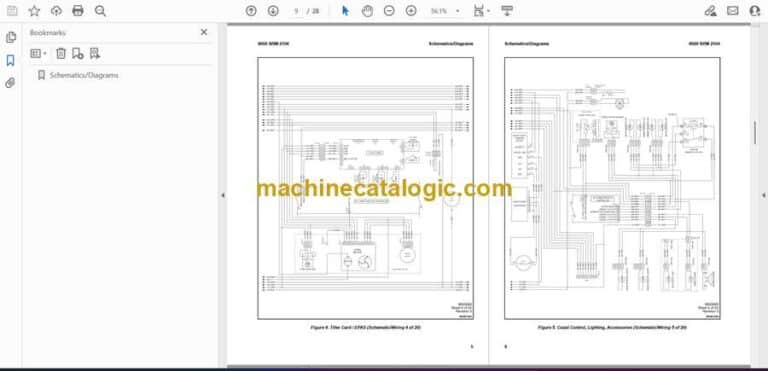
  • Schematics/Diagrams

Hyster

Latest Product

0
    0
    Your Cart
    Your cart is emptyReturn to Shop