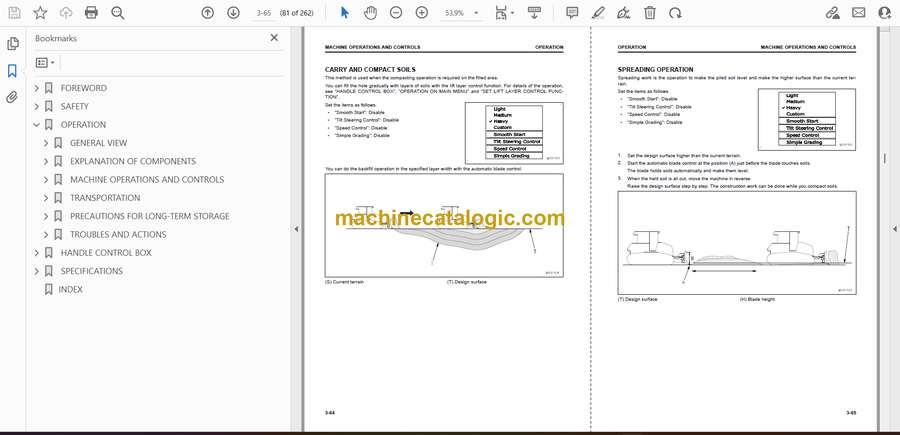
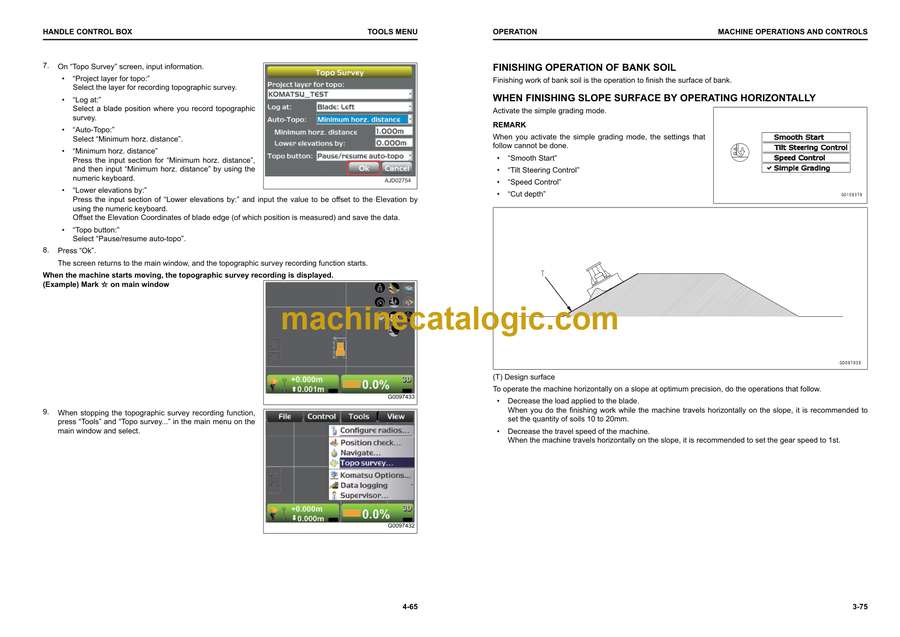
Komatsu D37EXi-24, D37PXi-24 Bulldozer Operation and Maintenance Manual (EENAM04080)
These D37EXi/PXi-24 dozers usually live on grading jobs, site prep, and utility work, pushing in all kinds of weather and soil. This operation and maintenance manual helps you build a solid daily and seasonal service routine so the machine stays predictable and the intelligent control system doesn’t become a downtime headache. For example, if the blade control starts acting inconsistent or the machine feels “lazy” on push, this book walks you through the basic checks and inspections you’d do before calling in a laptop or dealer tech.
Applications & Use Cases
- Set up daily walk‑around checks so you spot leaks, loose hardware, or track issues before they stop production.
- Plan filter and fluid changes on a realistic schedule to match your site conditions and workload.
- Trace early wear signs in undercarriage and blade components to decide when to adjust versus when to replace.
- Verify proper operation of the intelligent control features after maintenance or transport.
- Train new operators on correct warm‑up, shutdown, and operating habits that extend component life.
FAQ
Q: Can I keep this manual on a tablet in the cab?
A: Yes, just make sure the file is saved offline so you can zoom in on diagrams even without signal.
Q: Is it worth printing sections of this manual?
A: Printing the inspection and service pages you use most lets you mark notes, dates, and wear readings right in the shop.
Safety Note
Always lock out the machine, secure attachments, and follow the manual’s warnings before inspecting or servicing any component.
📘 Show Index
Komatsu D37EXi-24, D37PXi-24 Bulldozer Index:
- FOREWORD
- CONTENTS
- READ THIS MANUAL
- SAFETY INFORMATION
- INTRODUCTION
- intelligent Machine Control
- MACHINE FEATURES
- SAFETY
- GENERAL PRECAUTIONS COMMON TO OPERATION AND MAINTENANCE
- PRECAUTIONS WHEN GETTING ON OR OFF MACHINE
- PRECAUTIONS FOR BLADE AUTOMATIC CONTROL
- PRECAUTIONS FOR OPERATION
- PRECAUTIONS FOR MAINTENANCE
- PRECAUTIONS FOR CHECK AND MAINTENANCE
- OPERATION
- GENERAL VIEW
- MACHINE EQUIPMENT NAME
- CONTROLS AND GAUGES NAMES
- EXPLANATION OF COMPONENTS
- intelligent Machine Control SYSTEM
- OTHER EQUIPMENT
- MACHINE OPERATIONS AND CONTROLS
- CHECKS AND ADJUSTMENT BEFORE YOU START ENGINE
- OPERATIONS AND CHECKS AFTER STARTING ENGINE
- STOP ENGINE
- METHOD FOR USING AUTOMATIC BLADE CONTROL
- TRANSPORTATION
- REMOVE RADIO DEVICE ANTENNA CABLE
- PRECAUTIONS FOR LONG-TERM STORAGE
- TURN BATTERY DISCONNECT SWITCH TO OFF POSITION BEFORE LONG-TERM STORAGE
- TROUBLES AND ACTIONS
- TROUBLES AND ACTIONS DURING AUTOMATIC BLADE CONTROL WHEN SIMPLE GRADING MODE IS OFF
- PHENOMENA AND ACTIONS FOR CONTROL BOX
- HANDLE CONTROL BOX
- TABLE OF CONTENTS
- INTRODUCTION
- FUNCTION OF SWITCHES
- BRIGHTNESS AND VOLUME CONTROL
- LED INDICATOR
- KEYBOARD FUNCTIONS
- METHOD FOR DISPLAYING MAIN MENU
- FILE MENU
- PROJECT FILES
- CONTROL POINT FILES
- LAYERS
- POINT DATA
- SURFACE FILE
- 2 SURFACES MODE
- ACTIVE FILE
- EXIT 3DMC
- CONTROL MENU
- MACHINE SETTING
- METHOD FOR SETTING AS-BUILT CONTROL OPTIONS
- BLADE CONTROL
- STEER INDICATION OPTIONS
- DOZING CONTROL
- ADJUST BLADE ELEVATION
- PITCH ROD CALIBRATION
- ADJUST WEAR AMOUNT
- MACHINE CALIBRATION
- TOOLS MENU
- RADIO DEVICE SETTINGS
- POSITION SETTINGS
- NAVIGATE POINTS
- TOPO SHOT FOR TOPOGRAPHIC SURVEY
- SET Sitelink3D
- SUPERVISOR MODE
- VIEW MENU
- MAIN WINDOW DISPLAY
- LEFT WINDOW DISPLAY
- RIGHT WINDOW DISPLAY
- LOWER WINDOW DISPLAY
- DISPLAY OPTIONS
- 3DMC
- MAIN WINDOW DISPLAY
- ELEVATION CONTROL KEY
- SLOPE CONTROL KEY
- SHORTCUT ON THE MAIN WINDOW
- PAN OF MAIN MAP VIEW
- OPERATION ON MAIN MENU
- METHOD FOR DISPLAYING GNSS INFORMATION
- METHOD FOR ADJUSTING CUT/FILL OFFSETS
- METHOD FOR CHANGING GRADE INDICATOR DISPLAY
- METHOD FOR CHANGING DISPLAY OF LIGHT BAR
- OPERATION USING POP-UP MENU
- SET LIFT LAYER CONTROL FUNCTION
- USE QUICK SURFACE CREATION FUNCTION
- USE QUICK SURFACE ADJUSTMENT FUNCTION
- SPECIFICATIONS
- SPECIFICATIONS
- SPECIFICATIONS:D37EXI-24
- SPECIFICATIONS:D37PXI-24
- INDEX
Link Belt