Format: PDF (Printable Document)
File Language: English
File Pages: 66
File Size: 2.60 MB (Speed Download Link)
Brand: Terex
Model: BT510 Truck Crane
Type of Document: Operators Manual
$ 50
The Terex BT510 Truck Crane is designed for utility work, construction support, and field lifting operations where mobility and quick deployment matter. This Operators Manual covers boom operation, load chart interpretation, outrigger deployment, steering behavior, hydraulic control response, and pre-operation inspections. It explains real-world crane handling, such as how the BT510 responds when the load radius increases unexpectedly or when operating on slightly uneven ground.
Applications & Use Cases
Learning safe lift operation and boom control fundamentals
Using outriggers correctly to maintain crane stability
Monitoring hydraulic system response during continuous lifting
Performing daily operational checks and safety routines
Understanding load limits at different boom angles
FAQ
Does the manual include operational limits?
Yes. Boom length, angle, and load-radius restrictions are clearly charted.
Is it suitable for entry-level operators?
Yes. Instructions are practical and easy to apply on the job.
Safety Note
Never retract outriggers while the boom is raised; stabilize first.
System Components.
Display Console..
Operator Console.
Operation…
Power Up Self-Test.-
Adjust Brightness and Contrast.
Outriggers/Outrigger Position Sensing-
Stowing the Jib.
Erecting the Stowed Jib….
Basket Operation.
Setting the Pans of Line-
Cancel Alarm Key.
Reset Function Kick-out…………………… —
Operator Programmable Alarms………….
Setting the Minimum/Maximum Boom Angle Alarm.
Setting the Maximum Boom Length Alam-
Setting the Maximum Tip Height Alarm_
Accessing the Swing and Work Area Alarms.
Setting the Left and Right Swing Alarms..
Setting the Work Area Alarm.
Zeroing the Swing Sensor.
Calibration.
Entering Calibration Mode…
Number Entry.
Extension Sensor Setup. _
Extension Sensor Physical Zero.
Extension Sensor Zero Calibration..
Angle Sensor Setup…
Angle Sensor Physical Zero..
Angle Sensor Zero Calibration..
Spanning the Extension and Angle Sensors….
Entering the Spam.
Swing Sensor Setup..
Zeroing the Swing Sensor.
Direction of Swing..
Outrigger Position Sensing..
System Diagram..
Troubleshooting.
System Self-Test..
Error Codes…..-
Viewing Error Codes.
Group “A” Error Codes.
Group “B” Error Codes.
Group “C” Error Codes.-
Group “D” Error Codes.-
“No Fault Code”
Anti-Two-Block Alarm (ATB)…
Displayed Load or Radius Errors..
Checking the Boom Extension.
Checking the Main Boom Radius..
Checking the Boom Angle..
Checking the Pressure Sensors.
Computer Unit..
Computer Unit Layout…… .
Intemal Status Indicators……………… —
The COMM Indicator (A450625 Computer only)..
Replacing the Computer Unit–
Computer Unit Replaceable Parts.
System Chip (IC16)……………………………………………………….
Removing the Existing System or Communications Chip.
Installing the Replacement System or Communications Chip.
Communications Chips (A450625
Function Kick-out Fuse (A450625 only)……
Circuit Breaker Protection (A450656
Replacing the Circuit Breaker..
Computer Wiring Hamesses..
Display Unit Connector..
Reeling Drum
Pressure Sensors.
Checking the Pressure Sensors.
Display Console._
Display Console Problems….. —
Checking the Display Console..
Replacing the Display Console. _
Extension Reel.
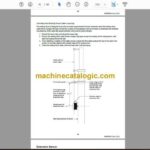
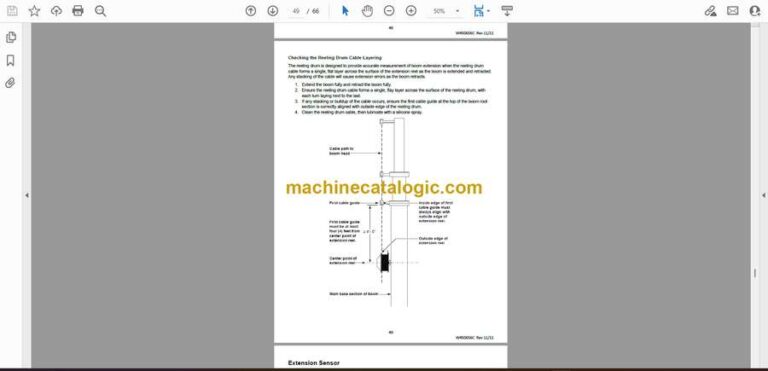
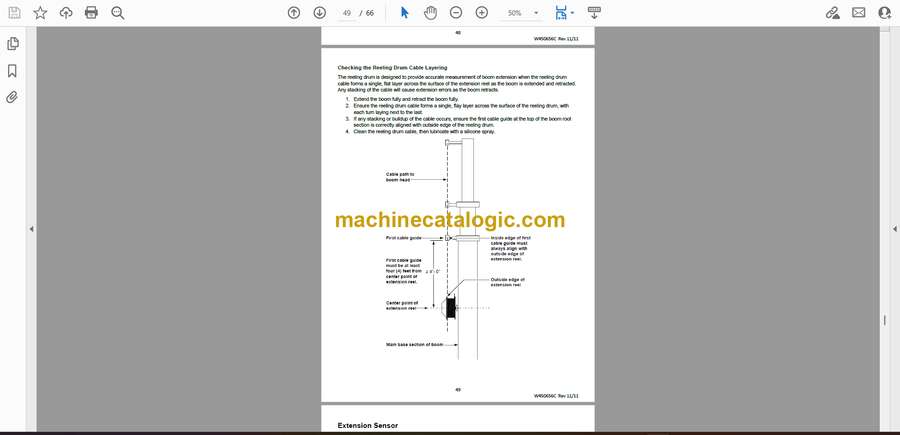
Checking the Reeling Drum Cable
Extension Sensor…… —
Extension Sensor Physical Zero….
Extension Sensor Zero
Extension Sensor Span
Checking the Extension Sensor Drive Voltage..
Checking the Extension Sensor Voltage.
Angle
Angle Sensor Physical Zero…
Angle Sensor Zero Calibration-.
Angle Sensor Span Calibration.
Checking the Angle Sensor —
Checking the Angle Sensor Drive Voltage
Checking the Angle Sensor Voltage.
Reeling Drum Replaceable Parts.
Reeling Drum Cable….
Slip-Ring…….. —
Anti-Two-Block (ATB)
Checking the Reeling Drum
Checking the ATB Circuit………………………………………….
Outrigger Position Sensors..
WAD/ISS.
WAD/ISS Troubleshooting Table..
Replacing the Swing Sensor.
Replacing the Conditioning Box..