$ 0
0
$ 0
0

Terex AC100 All Terrain Crane Technical Training

Format: PDF (Printable Document)

File Language: English

File Pages: 382

File Size: 48.11 MB (Speed Download Link)

Brand: Terex

Model: AC100 All Terrain Crane

Type of Document: Technical Training

Categories: ,

$ 50

Share:

Terex AC100 All Terrain Crane Technical Training

Terex AC100 All Terrain Crane Technical Training

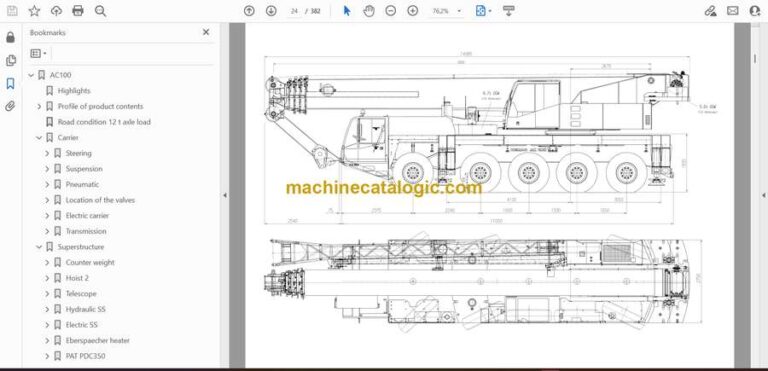
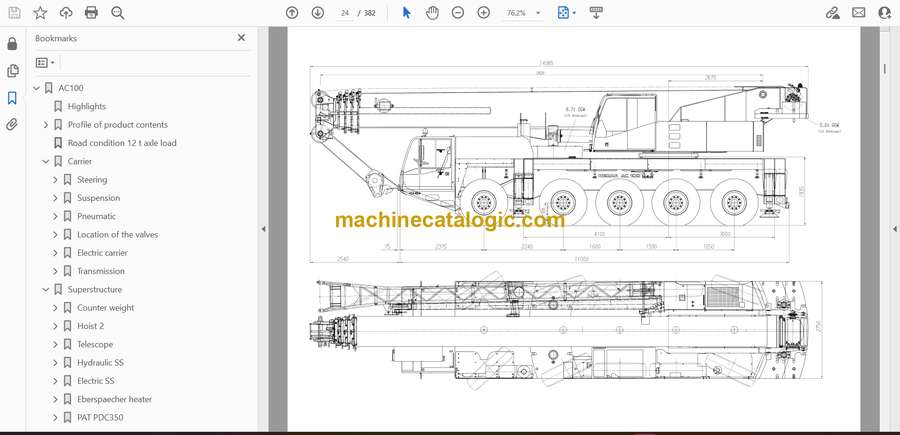
The Terex AC100 crane is a compact but powerful all-terrain unit, and this Technical Training Manual walks technicians through its boom geometry, counterweight setup, hydraulic routing, and electronic safety controls. It’s a foundational training resource for understanding how the crane responds under stress, elevation changes, and multi-angle lifting sequences.

Applications & Use Cases

  • Learning load moment limitation and safety systems

  • Understanding correct counterweight installation

  • Training new operators on hydraulic control feel

  • Diagnosing electronic sensor alerts

  • Preparing crews for complex lifts

FAQ
Does it cover electrical safety systems?
Yes, including load moment indicators and A2B logic.

Is it suitable for classroom-style training?
Yes, it’s structured to teach both theory and application.

Safety Note
Confirm lockout of all electronic safety overrides before performing calibration or testing.

📘 Show Index

Terex AC100 All Terrain Crane Index:

  • AC100
    • Highlights
    • Profile of product contents
      • Specifications
      • Overview of standard duty charts
      • Working ranges main boom
      • Working ranges main boom extensions
      • Technical description
      • Profile of product
    • Road condition 12 t axle load
    • Carrier
      • Steering
        • Steering mechanics
        • Hydraulic diagram
        • Hydraulic diagram axle 6
        • Adjusting the proximity switches of steering rod
        • Switches of crabsteering pin axle 4
      • Suspension
        • Hydraulic diagram
        • Hydraulic diagram axle 6
        • Suspension cylinder
      • Pneumatic
        • Brakes
        • Brake circuit 4
      • Location of the valves
        • Panel carrier right hand side
        • Panel carrier left hand side
        • 2 bar pressure switch
      • Electric carrier
        • Diagram carrier
        • Intercontrol Digsy
          • CPU module Intercontrol
          • Binary card Intercontrol
        • Dashboard 1
          • Indicator light module A
          • Indicator light module B
          • Indicator light module C
          • Indicator light module D
        • Dashboard 2
          • Indicator light module E
        • Equipment list
        • wiring harness
      • Transmission
        • Initial setup of transmission
          • Figure 1
          • Figure 2
          • Figure 2a
          • Figure 3
          • Figure 4
          • Figure 5
          • Figure 5a
          • Figure 6
    • Superstructure
      • Counter weight
        • Counter weight cylinder old
          • Picture of cylider old
          • Software old
        • Counter weight cylinder new
          • Picture of cylinder
          • Software new
        • Counter weight-axle loads
        • Variations of counterweight
          • Counter weight 32t
      • Hoist 2
        • Drawing of hoist 2
        • Picture of hoist 2
      • Telescope
        • Inside the boom
        • Telecylinder
        • Description of telescope control
        • Logic chart
        • Manual telescope control
        • LPU-view
        • Length and angle indicator
        • Pictures
          • LPU
          • Position pinned-unlocked
          • Sliders locking and pinning
          • Main boom rear view
          • Main boom rear view 2
          • Sensors pinning position
          • Hydraulic emergency control
          • Cross section main boom
          • Logitudinal cut
        • 58-75 Solving telescoping problems
      • Hydraulic SS
        • Hydraulic diagram
          • Picture hydraulik SS
          • Main Hydraulic block
        • Balancing valve, one movement engaged
        • Balancing valve, two movements engaged
        • Main pump
        • Slew pump
        • Feeder valve
          • Picture of feeder valve
      • Electric SS
        • Diagram SS
        • Dashboard
          • Indicator light modules
          • Console left/right
          • Multi function display
          • Dashboard picture
        • Equipment list SS
      • Eberspaecher heater
        • Contents
        • Functional description
        • Fault diagnosis
        • Error codes
        • Repair instructions
      • PAT PDC350
        • Layout of the PDC Unit
        • Service Manual PDC
        • E-Error codes
          • E06-E07
          • E08-E24
          • E25-E42
          • E43-E58
          • E60-E87
          • E88-E91
          • E92-E98
        • S-Errors
        • T-Errors
        • Seven Segment Display
        • PDC-Graphics

Terex

Latest Product

0
    0
    Your Cart
    Your cart is emptyReturn to Shop