
Hitachi Diagnostic Interface FTDI Driver Download
Overview
Hitachi Diagnostic Interface FTDI Driver Download
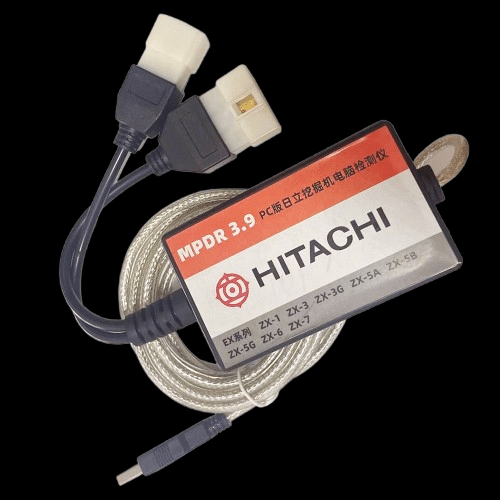
The Hitachi Diagnostic Interface FTDI Driver is required to establish stable communication between your Hitachi diagnostic adapter and diagnostic software.
This driver enables USB to COM port conversion using the FTDI chipset, allowing the diagnostic software to properly detect and communicate with the machine interface.
Without the correct FTDI driver installed, the diagnostic tool may not recognize the adapter, resulting in communication errors, missing COM ports, or connection failures.
This driver is commonly used with Hitachi Dr.ZX diagnostic software and other FTDI-based interfaces used in construction equipment diagnostics.
Key Features:
– Stable USB to COM communication
– Supports FTDI-based diagnostic adapters
– Ensures proper device detection
– Compatible with multiple diagnostic applications
Supported Operating Systems:
– Windows 7 (32/64 bit)
– Windows 8 (32/64 bit)
– Windows 10 (32/64 bit)
– Windows 11 (64 bit)
Common Issues Fixed:
– Adapter not detected
– Missing COM port
– Communication errors with diagnostic software
– USB connection instability
This driver is essential for technicians working with Hitachi construction equipment diagnostics and ensures reliable performance during troubleshooting and maintenance.
If you are experiencing connection issues, installing or reinstalling this driver is strongly recommended.
—
Need full Hitachi diagnostic software with complete installation?
We provide full packages including:
– Diagnostic software
– Service manuals
– Electrical and hydraulic diagrams
– Remote installation support
Contact us for a complete solution.
Installation Notes
1. Disable antivirus temporarily
2. Run CDM212364_Setup.exe as Administrator
3. Complete installation
4. Connect your adapter via USB
5. Open Device Manager → Ports (COM & LPT)
6. Verify COM port is assigned
Important:
If the device is not detected, try a different USB port or reinstall the driver.
Compatibility Notes
Compatible with:
– Hitachi Dr.ZX Diagnostic Software
– Hitachi MPDR (All in one tool)
– Hitachi Service Tool
– Other FTDI-based diagnostic interfaces
✔ Supports USB to COM communication
✔ Works with most FTDI chipset adapters
Support Notes
Need full Hitachi diagnostic software with installation?
We provide complete packages including:
– Diagnostic software
– Service manuals
– Wiring diagrams
– Remote installation support
Contact us for full setup.