
Volvo VOCOM 2 Diagnostic Adapter Driver Download
Overview
Volvo VOCOM 2 Diagnostic Adapter Driver Download
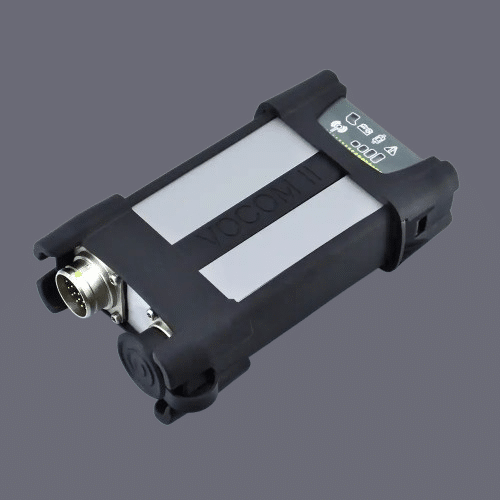
Download Volvo VOCOM 2 driver for diagnostic adapter. This driver is essential for establishing stable communication between Volvo TechTool software and Volvo vehicles.
The VOCOM 2 interface is widely used for diagnostics, troubleshooting, and maintenance of Volvo trucks, buses, and construction equipment. Without the correct driver installed, the diagnostic software may fail to detect the adapter or communicate properly with the machine.
This driver ensures reliable connection and allows full access to diagnostic functions including fault code reading, parameter configuration, and system testing.
Key Features:
– Stable communication with Volvo TechTool
– Supports Volvo trucks, buses, and construction equipment
– Ensures proper adapter detection
– Optimized for VOCOM 2 interface
Supported Systems:
– Volvo TechTool
– Volvo PTT (Premium Tech Tool)
Supported Operating Systems:
– Windows 10 (64 bit recommended)
– Windows 11 (limited support depending on version)
Common Issues Fixed:
– VOCOM not detected
– No communication with vehicle
– Driver installation errors
– Connection instability
Need full Volvo TechTool with VOCOM 2 ready setup?
We provide:
– Fully working Volvo TechTool
– VOCOM drivers and configuration
– Remote installation support
– Tested and stable system
Contact us for complete Volvo diagnostic solution.
Installation Notes
1. Disable antivirus and Windows Defender
2. Install VOCOM 2 driver package
3. Connect VOCOM 2 via USB
4. Wait for driver detection
5. Open Device Manager and verify device
6. Launch Volvo TechTool and test connection
Important:
If VOCOM is not detected, reinstall driver or check USB connection.
Compatibility Notes
Compatible with:
– Volvo TechTool (PTT)
– Volvo Construction Equipment Software
✔ Supports Volvo trucks, buses, and heavy equipment
✔ Designed for VOCOM 2 interface
Support Notes
Need Volvo TechTool fully installed and ready to use?
We provide complete installation with:
– VOCOM 2 setup
– Working TechTool system
– Remote support
Contact us anytime.