Format: PDF (Printable Document)
File Language: English
File Pages: 420
File Size: 42.58 MB (Speed Download Link)
File Count: 24 PDF files
Brand: Mitsubishi
Model: SBP16N2i
Equipment Type: Stacker
Book No: 616840-B
Type of Document: Service Manual
$ 45
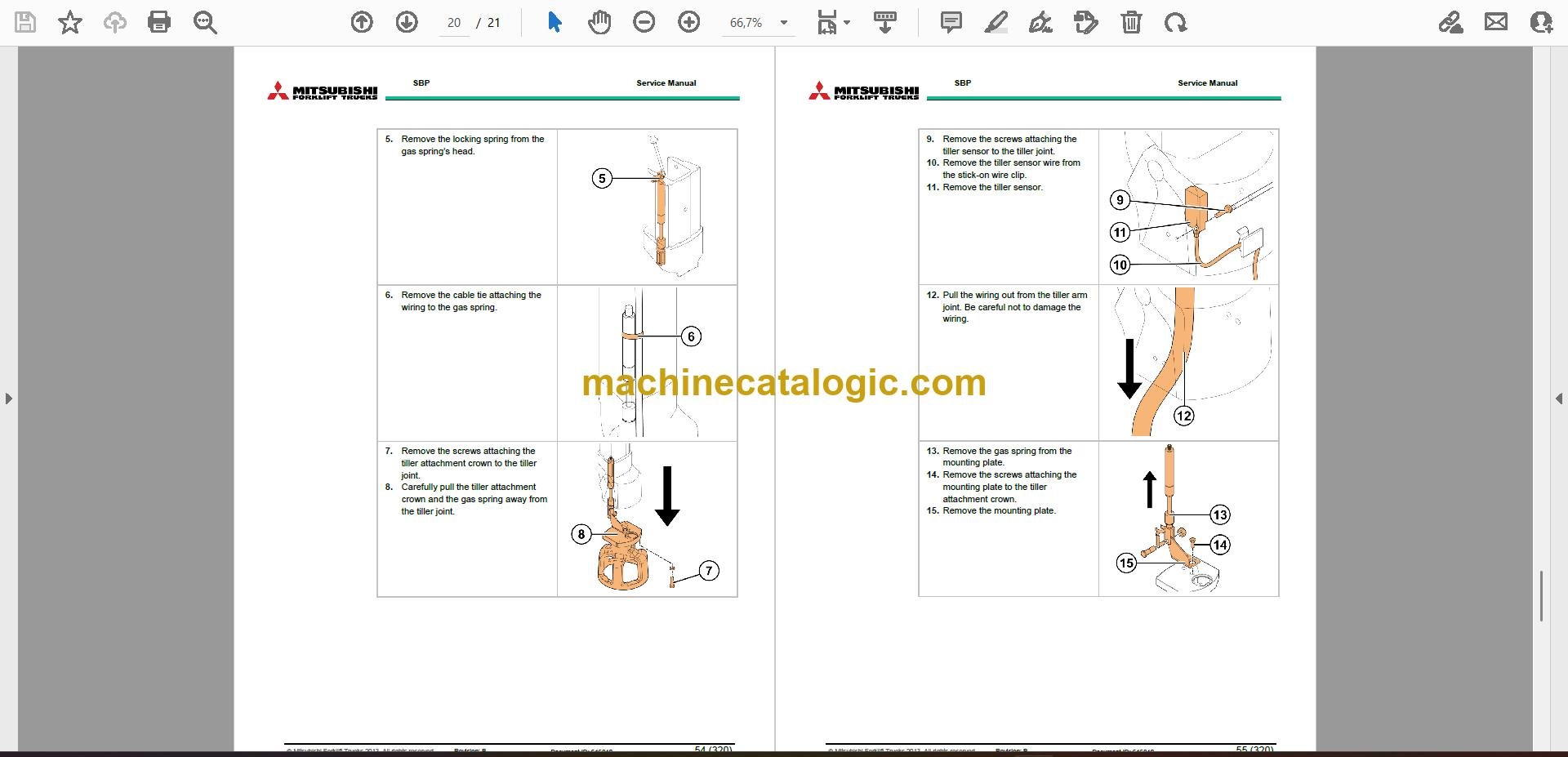
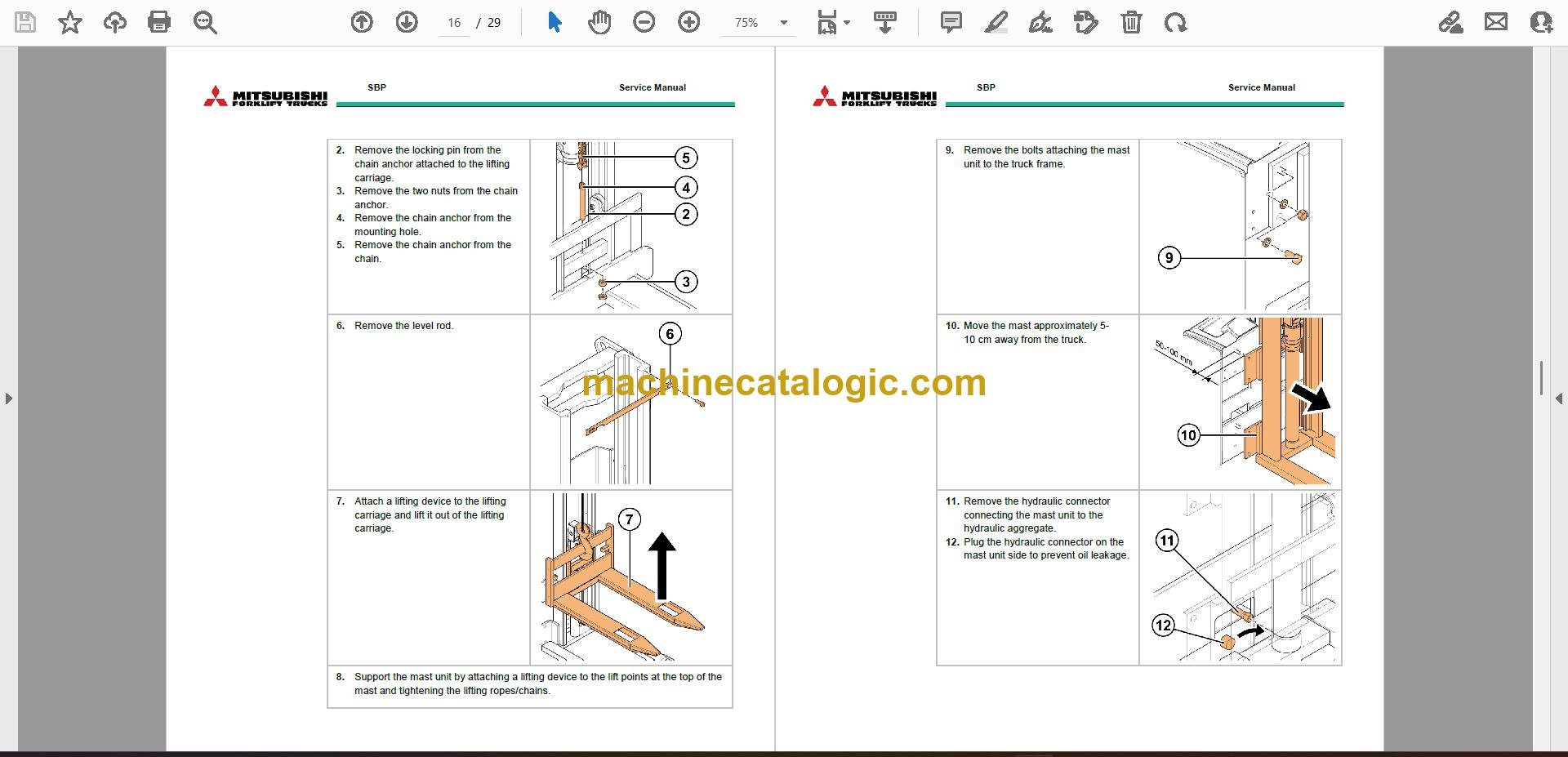
On a real floor this SBP16N2i is a walkie/rider electric stacker doing pallet put-away, short runs, and tight-aisle stacking. The service manual is what I'd pull when the mast won't lift right, the truck throws an alarm, or someone smoked a contactor on a Saturday. If you're trying to keep one specific Mitsubishi SBP16N2i stacker alive after warranty, this is the workshop book, not the operator's leaflet.
What this manual helps you do
Who this is for
This is aimed at warehouse or plant maintenance, dealer techs, independent forklift shops, and rental fleet mechanics who are actually turning wrenches on an SBP16N2i. If you just need to learn how to drive it or what the buttons do, you want the operator's handbook instead.
FAQ
Q: What format is it in, and can I search it and read the wiring diagrams?
A: You get 24 PDF files split by section, with a real text layer, so they're searchable. Wiring diagrams are in PDF too, so you can zoom in and read them.
Q: How do I know it matches my truck's serial or variant?
A: The listing doesn't give serial ranges, but it's written for the Mitsubishi SBP16N2i stacker family. If your data plate says SBP16N2i, this is more or less the right book.
Q: Is this the right document if I'm planning major repairs?
A: Yes. This is the service manual you'd use for diagnostics, adjustments, and component rebuilds, not parts ordering or basic operation.
Bottom line: If you're maintaining or repairing a Mitsubishi SBP16N2i stacker, this is the right service manual. If your truck is a different model, keep looking.
Mitsubishi publication 616840-B is the factory service manual for the SBP16N2i. The same publication covers 8 further stacker models: SBP10N2, SBP10N2R, SBP12N2, SBP12N2I, SBP14N2, SBP14N2I, SBP16N2, SBP16N2S. Check the model and serial number on your data plate before ordering.