
Bobcat Remote Start Tool Driver Download
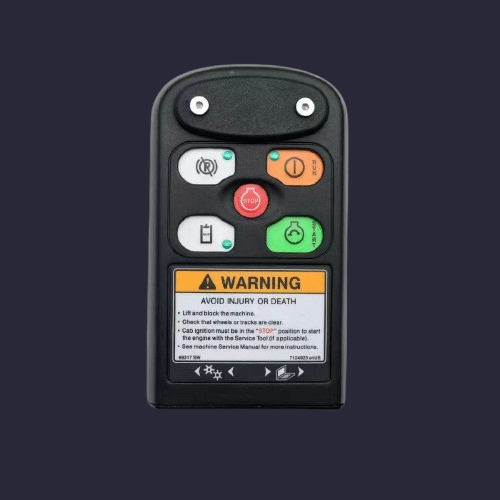
Overview
The Bobcat Remote Start Tool driver enables communication between Bobcat equipment and the Bobcat Service Analyzer diagnostic software. Proper installation ensures stable ECU communication, reliable data access, and correct tool recognition within the software platform.
This driver is required for connecting compatible Bobcat machines using the official Remote Start Tool interface.
Installation Notes
-
Disconnect the Bobcat Remote Start Tool before installation.
-
Run the installer as Administrator.
-
Restart the computer after installation.
-
Connect the tool after reboot.
-
Confirm detection inside Bobcat Service Analyzer software.
If the device is not detected, verify USB connection and check driver installation in Device Manager.
Compatibility Notes
Supported Operating Systems:
-
Windows 7 (32-bit / 64-bit)
-
Windows 10 (64-bit)
-
Windows 11 (64-bit)
Compatible Software:
-
Bobcat Service Analyzer
Compatible Equipment:
-
Bobcat loaders
-
Bobcat excavators
-
Bobcat skid steer machines
-
Bobcat compact equipment models
Compatibility may vary depending on machine generation and software version.
Support Notes
If connection issues occur during setup:
• Verify correct software version
• Check USB port and cable condition
• Ensure driver installation completed successfully
Technical assistance is available if required.