
Cummins Inline 6 Driver Download
Overview
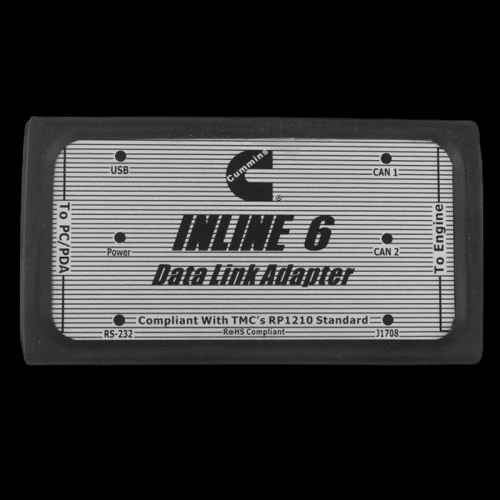
The Cummins Inline 6 driver package enables reliable communication between the Cummins Inline 6 diagnostic adapter and supported OEM diagnostic software. Proper installation of the official driver ensures stable RP1210 protocol communication, accurate data exchange, and correct detection within diagnostic platforms.
This driver is required for connecting Inline 6 adapter interfaces for ECU programming, fault code reading, and parameter monitoring.
Installation Notes
-
Disconnect the Cummins Inline 6 adapter before installation.
-
Run the driver installer as Administrator.
-
Restart the computer after installation completes.
-
Connect the adapter after reboot.
-
Confirm detection and RP1210 configuration inside diagnostic software.
If issues occur:
• Check USB cable and port integrity
• Disable antivirus temporarily
• Verify Device Manager for conflicts
Compatibility Notes
Supported Operating Systems:
✔ Windows 7 (32-bit / 64-bit)
✔ Windows 10 (32-bit / 64-bit)
✔ Windows 11 (64-bit)
Supported Protocols:
• RP1210
• J1939
• J1708
Compatible With:
• Cummins INSITE
• Detroit Diesel DiagnosticLink
• Volvo Premium Tech Tool (PTT)
• International ServiceMaxx
• OEM and aftermarket RP1210 diagnostic applications
Compatibility may vary depending on software version and RP1210 configuration.
Support Notes
If the Inline 6 adapter is not detected:
• Run installer as Administrator
• Restart Windows after install
• Check Device Manager for correct COM port
• Ensure RP1210 adapter is selected inside diagnostic software
Our technical support team is available for remote assistance if required.