
Nexiq USB Link 3 Driver Download
Overview
Nexiq USB Link 3 Driver Download
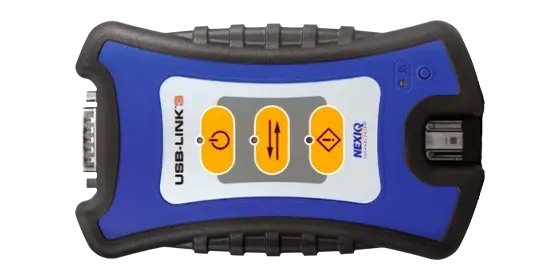
The Nexiq USB Link 3 driver package ensures stable communication between your diagnostic adapter and professional heavy-duty diagnostic software. Installing the correct driver version is essential for proper RP1210 communication, reliable J1939 data access, and consistent workshop performance.
This verified driver package supports industry-standard OEM diagnostic platforms and prevents common issues such as USB detection errors, RP1210 initialization failures, and communication instability.
This download includes the clean and stable driver version recommended for workshop and field deployment.
Installation Notes
-
Disconnect the Nexiq USB Link 3 adapter before installation.
-
Run the driver installer as Administrator.
-
Restart the system after installation completes.
-
Connect the adapter only after reboot.
-
Verify installation via Device Manager and RP1210 configuration tool.
If detection issues occur, temporarily disable antivirus software and ensure Windows driver signature enforcement is enabled.
Compatibility Notes
Compatible With:
-
Cummins INSITE
-
Detroit Diesel DiagnosticLink
-
Volvo Premium Tech Tool (PTT)
-
International ServiceMaxx
-
Allison DOC
-
Eaton ServiceRanger
-
PACCAR DAVIE (when RP1210 interface is supported)
-
John Deere Service Advisor 5.4 (when RP1210 interface is selected)
-
OEM and aftermarket USA heavy-duty truck diagnostic platforms
-
Other RP1210-compliant diagnostic applications
Supported USA Truck & Component Brands:
-
Freightliner
-
Kenworth
-
Peterbilt
-
International
-
Mack
-
Volvo Trucks
-
Western Star
-
PACCAR
-
Caterpillar (on-highway engines)
-
Cummins
-
Detroit Diesel
-
Eaton
-
Allison Transmission
Compatibility may vary depending on software version and RP1210 configuration.
Support Notes
If the Nexiq USB Link 3 adapter is not detected after installation:
• Verify USB cable and port integrity
• Temporarily disable antivirus during installation
• Check Device Manager for driver conflicts
• Confirm RP1210 configuration inside diagnostic software
For workshop deployment or advanced troubleshooting assistance, contact our technical support team.
Remote support assistance is available if required.