
Doosan & Bobcat uVIM Driver Download (Jastec V1.1 Engine Diagnostic Interface)
Overview
Doosan & Bobcat uVIM Driver Download (Jastec V1.1 Engine Diagnostic Interface)
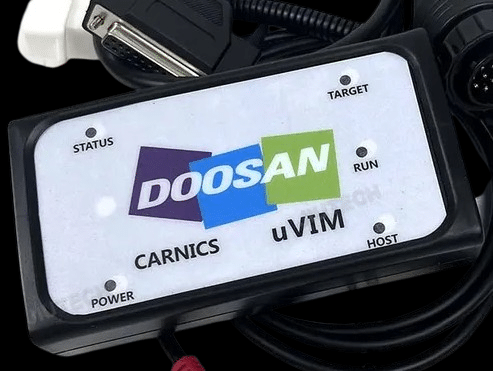
Download Jastec uVIM Driver V1.1 for Doosan machines and engines, and Bobcat engine diagnostic systems. This driver is required to establish stable communication between the diagnostic interface and ECU.
The uVIM (Universal Vehicle Interface Module) is widely used for diagnostics, troubleshooting, and maintenance of Doosan equipment and all Doosan engine systems. It is also used for Bobcat engine diagnostics only.
This driver ensures that the diagnostic software can properly detect the interface and communicate with the engine control unit without errors.
Supported Software:
– Doosan DMS-5
– Doosan DDT Engine Diagnostic Software
– Bobcat Engine Analyzer ECU
– Bobcat Engine Analyzer DCU
– Bobcat Engine Analyzer V2
Supported Systems:
– All Doosan engines
– Doosan construction equipment
– Bobcat engines (engine diagnostics only)
Key Features:
– Stable ECU communication
– Full support for Doosan machines and engines
– Engine-only support for Bobcat systems
– Reliable USB interface connection
– Optimized for Jastec uVIM adapter
Supported Operating Systems:
– Windows 7 (32/64 bit)
– Windows 10 (64 bit recommended)
– Windows 11 (limited support depending on system)
Common Issues Fixed:
– Interface not detected
– ECU communication failure
– Driver installation errors
– Connection instability
Important Note:
For Doosan machines, this interface supports full diagnostics. For Bobcat, it is limited to engine diagnostics only.
Incorrect or missing drivers may cause communication failure between the software and ECU.
—
Need complete Doosan or Bobcat diagnostic setup?
We provide:
– Full diagnostic software packages (DMS-5, DDT Engine, Bobcat Analyzer)
– Service manuals and technical documentation
– Remote installation and configuration support
Contact us for a complete working solution.
Installation Notes
1. Disable antivirus and Windows Defender
2. Run Setup_Jastec_uVIM_Driver_V1.1.exe as Administrator
3. Complete installation
4. Connect uVIM interface via USB
5. Check Device Manager for proper detection
6. Launch diagnostic software and verify connection
Tip:
If the device is not detected, try reinstalling the driver or changing USB port.
Compatibility Notes
Compatible with:
– Doosan DMS-5
– Doosan DDT Engine Software
– Bobcat Engine Analyzer ECU / DCU / V2
✔ Full support for Doosan machines and engines
✔ Bobcat engine diagnostics only
✔ Designed for Jastec uVIM interface
Support Notes
Need full Doosan or Bobcat diagnostic system ready to use?
We offer:
– Ready-to-use diagnostic software
– uVIM driver setup and configuration
– Remote installation support
Contact us anytime for full setup.